
AI-NanoBanana vs Image to Image Maker
Side-by-side comparison to help you choose the right AI tool.
AI-NanoBanana
Nano Banana is an AI image editor that transforms any photo with simple text prompts.

Image to Image Maker
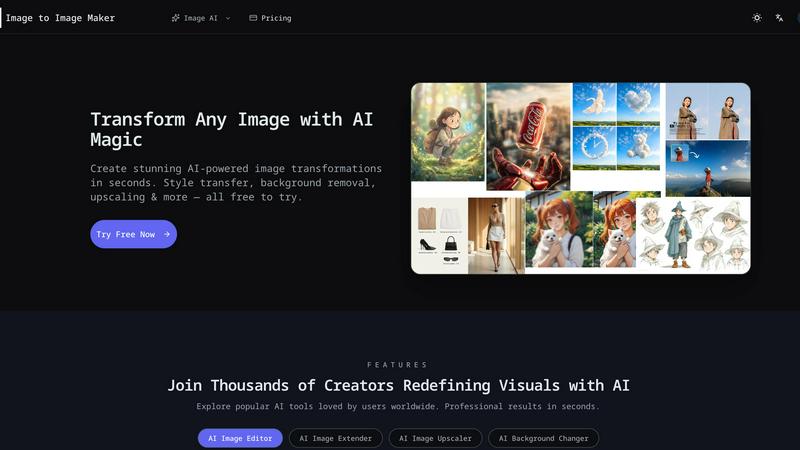
Transform any photo into a stunning, studio-ready image in seconds with our powerful AI image editor.
Last updated: February 28, 2026
Visual Comparison
AI-NanoBanana
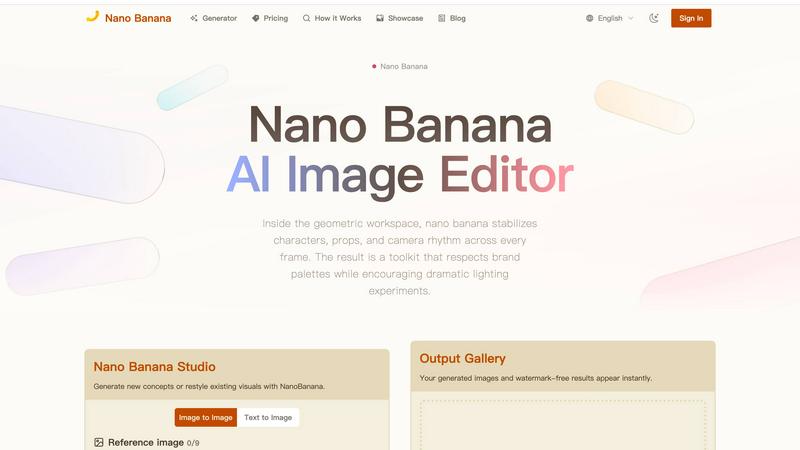
Image to Image Maker
Feature Comparison
AI-NanoBanana
Intelligent Text-to-Image & Image-to-Image
Command the studio with simple text descriptions or upload a reference image as your starting point. NanoBanana's advanced model intelligently blends your prompts with visual cues, generating entirely new scenes or transforming existing ones. This dual approach allows for both exploratory creation from scratch and precise, guided restyling of uploaded visuals, offering unparalleled flexibility in your creative workflow.
Granular Style & Detail Controls
Move beyond basic prompts with a suite of fine-tuning controls. Adjustable sliders and curated presets let you manipulate key elements like lighting conditions, lens effects, and overall narrative style. This level of detail ensures you can achieve a specific mood or aesthetic and maintain visual consistency across a series of images, a critical need for professional branding and storytelling.
Consistent Character & Scene Preservation
This is where NanoBanana truly excels. Unlike many AI tools that struggle with continuity, it reliably maintains the proportions, expressions, and interactions of multiple characters across sequential edits. Simultaneously, it preserves the original scene's structure, perspective, and lighting cues, ensuring transformations feel natural and cohesive rather than disjointed or artificially imposed.
Instant, High-Quality Export Suite
When your visual is ready, export it without compromise. NanoBanana delivers high-resolution, watermark-free images instantly. The exports are production-ready, including versatile formats like layered files for further editing, transparent PNGs for graphic design, and organized, brand-safe archives, streamlining the final step from creation to deployment.
Image to Image Maker
Fast Retouch & Style
The Fast Retouch & Style feature allows users to refine images quickly and effectively. With AI-powered editing tools, you can enhance skin tones, adjust lighting, and modify colors in mere seconds. This is particularly useful for creating polished e-commerce images, social media portraits, and marketing materials, ensuring a consistent brand aesthetic while expediting the production process.
Cutout & Extend
Cutout & Extend is a powerful feature that simplifies the process of removing unwanted elements from your images. By employing the AI Object Remover, users can eliminate distractions and then utilize the AI Image Extender to seamlessly expand the frame. This capability ensures that margins remain clean and consistent, making it ideal for creating layouts, banners, and cover art without the hassle of manual adjustments.
Enhance & Restore
With the Enhance & Restore feature, users can upscale their images for improved clarity and detail. This tool includes the AI Image Upscaler, Photo Colorizer, and AI Unblur Image, making it perfect for transforming scanned prints and low-resolution assets into high-quality visuals. The enhancement process retains the original character of the image while delivering sharper edges and richer tones.
Create & Animate
The Create & Animate feature allows users to generate unique styles and animations from their images. By converting photos into cartoons or creating avatars, users can then animate these creations with the Image to Video tool. This is particularly beneficial for producing engaging campaign visuals, social media content, and motion clips for various marketing applications.
Use Cases
AI-NanoBanana
Brand Marketing & E-commerce Visuals
Marketing teams can rapidly generate and iterate on product shots, promotional banners, and branded social media content. The ability to restyle images while keeping products and logos consistent ensures a cohesive brand identity across all channels, speeding up campaign production cycles.
Concept Art & Storyboarding
Game designers, filmmakers, and authors can quickly visualize characters, environments, and key scenes. The consistent character editing feature is invaluable for maintaining a hero character's look across various poses and settings, allowing for efficient exploration of narrative concepts and visual styles.
Content Creation & Social Media
Bloggers, influencers, and digital content creators can produce unique, eye-catching graphics, thumbnails, and illustrations to accompany their work. The text-to-image function helps generate original art for articles or videos, while image restyling can refresh existing photos with new themes or seasonal aesthetics.
Product Design & Prototyping
Designers can upload sketches or basic product renders and use image-to-image transformation to explore different materials, colors, and finishes. This allows for rapid visualization of concepts and client presentations without needing complex 3D modeling in the early ideation stages.
Image to Image Maker
Professional Photography
Professional photographers can leverage Image to Image Maker to enhance their portfolio images with minimal effort. By using the AI tools to retouch and style photographs, they can achieve a polished look that attracts clients and showcases their skills effectively.
E-commerce Product Images
E-commerce businesses can utilize the platform’s capabilities to create eye-catching product images. By quickly removing backgrounds and refining details, online sellers can generate professional-quality visuals that enhance product presentation and drive sales.
Social Media Content Creation
Content creators and influencers can benefit from the platform by producing stunning visuals for their social media profiles. The ability to transform images, create unique styles, and animate content allows for more engaging posts that resonate with audiences.
Marketing Campaigns
Marketers can use the Image to Image Maker to create compelling visuals for advertisements and promotional materials. The tool enables quick iterations and adjustments, allowing teams to test various designs and styles for optimal audience impact.
Overview
About AI-NanoBanana
AI-NanoBanana is a next-generation AI-powered image studio engineered for creators who demand precision without sacrificing creative freedom. It transforms ideas into polished, production-ready visuals through an intuitive interface that blends advanced AI with granular artistic control. At its core, NanoBanana is built for anyone looking to generate new concepts from text, restyle existing images, or maintain visual consistency across a project—from solo artists and content creators to marketing teams and game developers. Its main value proposition lies in delivering reliable, high-fidelity edits where other AI tools falter, particularly in preserving scene integrity and character consistency across multiple generations. By intelligently interpreting natural language prompts and reference images, it turns abstract vision into tangible, brand-safe visual assets, making professional-grade image creation accessible and efficient.
About Image to Image Maker
Image to Image Maker is an innovative online platform that harnesses the power of artificial intelligence to transform the way artists, designers, and content creators approach image editing and enhancement. By utilizing cutting-edge image-to-image generation technology, this platform enables users to take existing images and explore limitless creative possibilities. Whether you are aiming to modify styles, enhance details, reinterpret compositions, or extend visual concepts, Image to Image Maker preserves the essence of your original artwork while elevating its quality to professional standards. Its intuitive user interface caters to both novice creators and seasoned professionals, allowing for complex edits to be made effortlessly. With a suite of powerful tools at your fingertips, this platform not only saves time but also empowers users to generate stunning visuals quickly and efficiently, making it a compelling alternative to traditional editing software.
Frequently Asked Questions
AI-NanoBanana FAQ
What is AI-NanoBanana?
AI-NanoBanana is an advanced AI image editing platform that transforms your photos and ideas through intelligent prompt understanding. It specializes in turning text descriptions or reference images into high-quality visuals, with a particular strength in maintaining consistency for characters and preserving the core structure of original scenes during edits.
How does NanoBanana handle multiple characters in an image?
NanoBanana is specifically engineered to tackle the common AI challenge of multi-character consistency. It analyzes the relationships, proportions, and expressions of characters within a frame and maintains these details faithfully across subsequent edits, making it ideal for sequential artwork, comics, or any project requiring stable character representation.
What kind of files can I export?
NanoBanana provides production-ready, watermark-free exports in high-resolution formats. This includes standard image files as well as more flexible options like layered files (for advanced editing in other software), transparent PNGs for compositing, and organized archives suitable for brand asset management.
Is NanoBanana suitable for professional/commercial use?
Absolutely. The tool is designed with professional workflows in mind. The high-resolution, watermark-free outputs, combined with strong brand-safe archiving and the consistency needed for commercial projects, make it a viable asset for marketing teams, designers, and agencies creating visuals for commercial purposes.
Image to Image Maker FAQ
What is Image to Image Maker and how does it work?
Image to Image Maker is an AI-powered online platform that allows users to transform existing images into enhanced versions through various editing tools. Users upload their images, apply desired edits, and download the final product in high resolution.
Is the AI image editor free to use?
The platform offers a range of free tools and features, but some advanced functionalities may require a subscription or payment. Users are encouraged to explore the tool to understand its capabilities and any associated costs.
What types of image transformations can I create?
Users can create a wide variety of transformations, including style transfers, background replacements, enhancements, and animations. The platform’s diverse set of tools caters to various artistic needs and creative projects.
Can I use the AI image editor for commercial projects?
Yes, users can utilize the Image to Image Maker for commercial projects. However, it is recommended to review the platform’s terms of service to ensure compliance with any commercial use guidelines.