
The Ultimate Piano
Master piano online with realistic sounds, interactive learning tools, and full MIDI support.
Visit
About The Ultimate Piano
The Ultimate Piano is a sophisticated, browser-based platform designed to transform how pianists and music learners practice and understand their instrument. It eliminates the barrier of complex software installation, offering a powerful, all-in-one toolkit accessible directly from any modern web browser. This tool is crafted for a wide audience, from complete beginners taking their first steps to seasoned musicians seeking to refine their technique and theory knowledge. Its core value proposition lies in merging a realistic, playable piano with intelligent, interactive learning systems. Users can connect a MIDI keyboard for an authentic feel or use their computer keyboard and mouse to start playing instantly. Beyond simple playback, The Ultimate Piano provides deep educational insights through real-time chord detection, comprehensive scale and chord explorers, and structured ear training modules. It uniquely supports practice alongside personal media, allowing users to load MIDI files, MP3s, or even sync with YouTube videos to play along. With features like a MIDI recorder, customizable sheet music display, and a detailed metronome, it provides a professional-grade practice environment that is both intuitive and immensely powerful, making effective, visualized music practice available to anyone, anywhere.
Features of The Ultimate Piano
Browser-Based Piano with MIDI Support
Play a high-quality, sampled piano directly in your web browser with no downloads or installations required. You can use your mouse, computer keyboard, or connect a professional MIDI keyboard for a realistic playing experience. The platform features beautiful, responsive piano sounds that make practice sessions feel authentic and engaging from the very first note.
Interactive MIDI Player & Learning Modes
Load any standard MIDI file to see the notes light up on the keyboard as they play. This visual feedback is perfect for learning new pieces. You have full control over playback: slow down the tempo, loop specific sections, or step through the music note-by-note to master difficult passages at your own pace, turning any song into an interactive lesson.
Real-Time Chord Detection & Music Theory Tools
As you play, the software intelligently analyzes your input and displays the names of chords you are forming in real time. This immediate feedback is invaluable for understanding harmony. Coupled with the Chord Explorer and Scale Trainer—which covers 14 different scale types—you gain a deep, practical understanding of music theory directly through your instrument.
Integrated Audio & YouTube Player
Practice along with your favorite songs or tutorials seamlessly. Upload your own MP3 files or paste any YouTube URL directly into the player. You can slow down the audio without changing pitch, set precise A-B loop points to repeat tricky sections, and save markers to jump to specific moments. This turns any external media into a customizable practice track.
Use Cases of The Ultimate Piano
Self-Directed Music Theory Education
For students learning music theory, The Ultimate Piano acts as a dynamic visualizer and lab. By selecting a specific scale or chord from the learning modes, users can see it highlighted across the keyboard and hear it played back. This bridges the gap between abstract theory and practical application, making complex concepts like the Blues Scale in Ab immediately tangible and playable.
Song Learning & Repertoire Building
A musician learning a new piece can load its MIDI file to watch the falling notes, understanding the fingering and timing visually. They can slow down complex solos, loop challenging bars, and use the metronome's speed training feature to gradually build up to the correct tempo, creating a structured and effective practice routine for efficient repertoire expansion.
Ear Training and Auditory Skill Development
The dedicated ear training module is designed for users who want to sharpen their listening skills. It provides structured exercises for identifying intervals and chords by ear. This systematic practice is essential for improvisers, composers, and any pianist wanting to play by ear or transcribe music more accurately, all within the same platform they use for regular practice.
Accessible Piano Practice for Families and Educators
With its Kid Mode featuring friendly animal icons on the keys, the platform becomes an engaging tool for young children. Teachers can use it during lessons to demonstrate concepts without needing a physical piano at hand, while students can practice on tablets at home. Its mobile-friendly, touch-enabled design ensures learning can continue anywhere.
Frequently Asked Questions
Do I need to install anything to use Ultimate Piano?
No installation is required. The Ultimate Piano is entirely browser-based and runs on any modern device with an internet connection, including computers, tablets, and smartphones. You can start practicing immediately by visiting the website—no software downloads, accounts, or complex setups are needed.
Can I connect my MIDI keyboard?
Yes, you can connect a MIDI keyboard directly to your computer. The Ultimate Piano will automatically detect it, allowing you to play with a realistic, weighted-key feel. The platform also supports sustain pedals connected via MIDI, providing a fully authentic piano playing experience with proper note sustain visualization.
What chords and scales can I learn?
The platform includes a comprehensive Chord Explorer and a Scale Trainer that covers 14 different scale types, from major and minor scales to more advanced modes like blues, pentatonic, and harmonic minor. You can select any root note and see the scale or chord visualized across the keyboard, with the option to hear it played automatically.
Can I practice along with my own songs?
Absolutely. The integrated Audio Player allows you to upload MP3 files from your device, and the YouTube Player lets you paste a link to any YouTube video. You can control playback speed, set loops, and analyze the key and BPM of the audio, enabling you to practice alongside your favorite tracks or tutorials seamlessly.
Explore more in this category:
Similar to The Ultimate Piano
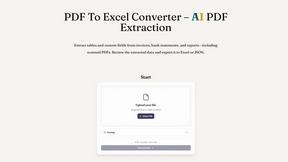
PDF to Excel
ReadyData is an online PDF to Excel converter powered by AI.
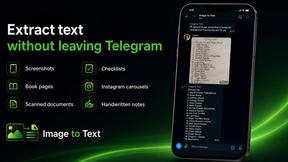
imgtxtapp.laviolab.com
imgtxtapp.laviolab.com is a Telegram-based image-to-text converter that turns photos, screenshots, scanned documents into editable text
Verla AI
AI academic assistant for writing, research, presentations, and coding
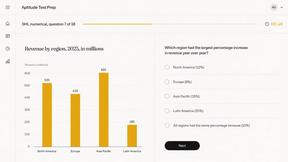
Aptitude Test Prep
Free timed practice for real employer aptitude tests

Solve Game Prep
Practice the McKinsey Solve game before it practices you.