
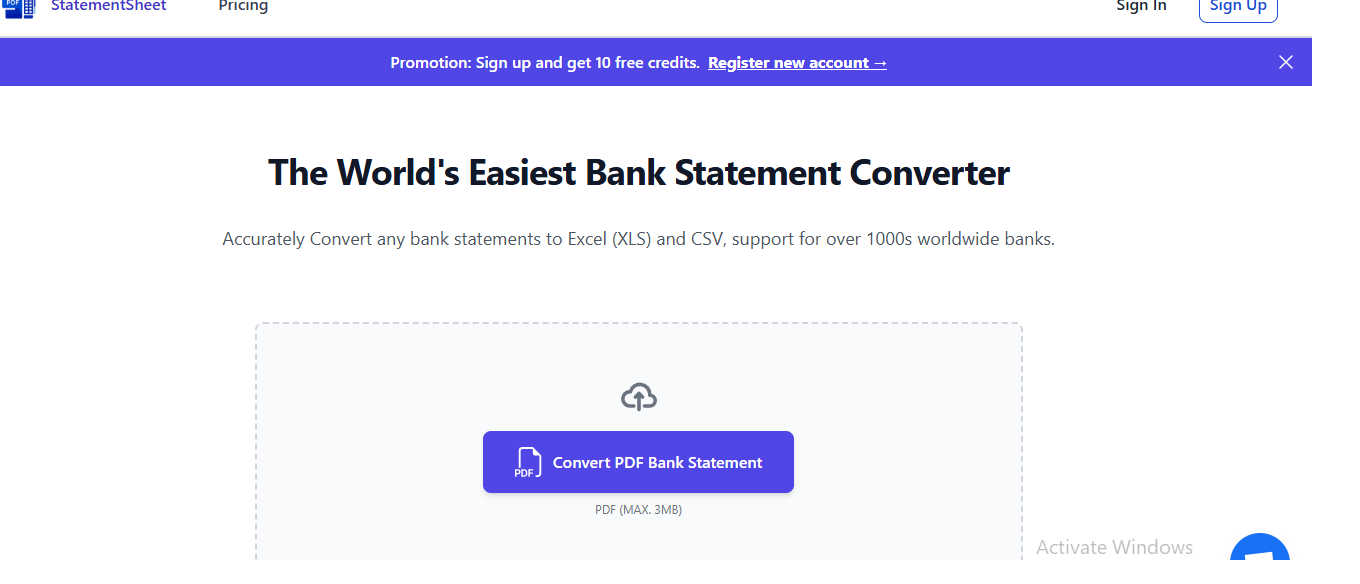
About StatementSheet
StatementSheet is a sophisticated online solution engineered to transform the cumbersome task of financial data management. It serves as a dedicated bank statement converter, meticulously extracting raw transaction data from disorganized PDF bank statements and structuring it into clean, actionable formats like Excel and CSV. This tool is purpose-built for financial professionals, accountants, small business owners, and consultants who demand precision and efficiency, eliminating the hours typically lost to manual data entry and reformatting.
The core value proposition lies in its powerful automation. By employing advanced OCR (Optical Character Recognition) and intelligent data extraction algorithms, StatementSheet accurately identifies and categorizes transaction details—dates, descriptions, amounts, and balances—even from scanned documents. This process not only enhances productivity but also drastically reduces human error, ensuring data integrity for critical financial activities. With a firm commitment to security and a seamless, no-installation interface, StatementSheet delivers reliable, organized financial data in seconds, allowing users to redirect their focus from data wrangling to analysis and strategic decision-making.
Features of StatementSheet
Secure File Processing
Every document uploaded to StatementSheet is handled with the highest security standards. Files are encrypted during transfer using secure protocols, and all data is processed on protected servers. Crucially, to ensure privacy, all uploaded PDF bank statements are automatically and permanently deleted from the servers within 24 hours of conversion, leaving no residual data behind.
Accurate Data Extraction
The tool utilizes advanced processing algorithms and OCR technology to precisely identify and extract key financial data. It automatically detects transaction dates, detailed descriptions, amounts, and running balances from PDF statements, structuring them into clean columns and rows in your output file, ready for immediate analysis without manual cleanup.
Fast & Automated Conversion
Designed for efficiency, StatementSheet automates the entire conversion workflow. From the moment you upload your PDF, the system processes the file automatically, delivering a downloadable Excel or CSV output within seconds. This speed is consistent for multi-page statements, transforming a typically tedious task into an instantaneous one.
No-Account Required Access
Prioritizing accessibility and simplicity, StatementSheet allows users to convert their statements instantly without any mandatory sign-up process. You can upload, process, and download your converted data immediately, enjoying the full functionality of the tool with zero commitment or account creation barriers.
Use Cases of StatementSheet
Financial Reporting and Analysis
Accountants and financial analysts can swiftly convert client or company bank statements into structured Excel files. This ready-to-use data facilitates faster creation of profit & loss statements, cash flow analyses, and financial dashboards, enabling deeper insights and more timely reporting without manual data transcription.
Small Business Bookkeeping
Small business owners and bookkeepers can automate the monthly reconciliation process. By converting bank statement PDFs to CSV, they can easily import transaction data into accounting software like QuickBooks or Xero, ensuring their books are accurate and up-to-date with minimal manual effort.
Audit and Compliance Preparation
During audit seasons, professionals can use StatementSheet to quickly organize years of bank statements into searchable, sortable Excel spreadsheets. This structured format simplifies the process of tracing transactions, verifying records, and compiling evidence for auditors or regulatory compliance checks.
Personal Finance Management
Individuals managing investments or complex personal finances can convert their banking PDFs to Excel. This allows for custom budgeting, expense tracking, and tax preparation by categorizing transactions, creating pivot tables, and visualizing spending habits with ease.
Frequently Asked Questions
How do I convert a bank statement to Excel or CSV?
The process is straightforward. First, upload your PDF bank statement by dragging and dropping it into the tool's upload area. The converter will then automatically process the file and extract all transactions. You can review the converted data, and finally, download the formatted bank statement directly as an Excel (XLS/XLSX) or CSV file.
Is my financial data secure when using the converter?
Yes, security is a paramount concern. All data is encrypted during transfer to and from our servers. Furthermore, every uploaded PDF file is automatically and permanently deleted from our systems within 24 hours after the conversion is complete, ensuring your sensitive financial information is not stored.
Can this tool convert scanned bank statements?
Yes, StatementSheet can process scanned or digitized PDF statements using its integrated OCR technology. However, for optimal accuracy and the best results, it is recommended to use clear, high-resolution scans or original electronic bank statements whenever possible.
Do I need to create an account to use the converter?
No, you do not need to create an account. StatementSheet is designed for instant access. You can use the full conversion functionality immediately without any sign-up process, allowing for quick and hassle-free data extraction.
Explore more in this category:
Similar to StatementSheet

Panzoe
Panzoe is an all-in-one AI platform for personal productivity, business automation, AI assistants, content creation, and custom AI solutions.
Novastart
Novastart brings apps and files onto an infinite canvas where people and AI agents can work together.

AUTOMATER.ai
A tray helper for every AI coding tool: sessions, alerts and usage in one place

Kody Tools
Free collection of online developer utilities, code formatters, and digital converters designed to streamline your daily workflow.
Forms Plugin
The #1 Native Form Builder Plugin for Framer - No Code, No Embeds, No External Platforms.

HomeAnswerBook
Practical, independent guides to home repairs, maintenance, costs, troubleshooting, and everyday fixes.
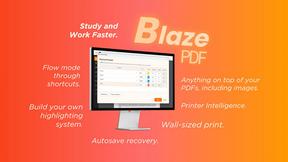
BlazePDF
Highlight faster. Study in flow with custom shortcuts and a workflow built around you. Print smarter, or turn any page into a tiled poster.