
Push My App
Push My App lets developers manage, optimize, and submit ASO-ready App Store and Play Store listings from a single dashboard.
Visit
About Push My App
Push My App is a comprehensive, all-in-one platform designed specifically for indie developers and small studios who want to ship their mobile applications to the App Store and Google Play Store without the traditional launch-week grind. Instead of spending days manually writing metadata, resizing screenshots, translating listings, and worrying about rejections, developers can now complete the entire submission process in a single afternoon. The platform uses artificial intelligence to generate search-optimized app names, keywords, descriptions, and release notes in seconds, ensuring your app is discoverable from day one. A Pre-Flight Rejection Scanner checks your build and listing against over 80 known Apple and Google rejection reasons before you ever hit submit, saving you from frustrating rejection cycles. Push My App also includes a screenshot resizer that takes one set of screenshots and automatically generates every required device size for both stores, plus a full listing translator that converts your metadata into 14 languages with keywords re-optimized per locale. You can simply drop your .ipa, .apk, or .aab file, and the platform extracts the bundle ID, version, and icon, validates compliance, and submits directly to App Store Connect and Google Play in one click. Additionally, you can generate a website and get a support mailbox for your app using the same metadata and screenshots with just a few clicks. Built for developers who would rather be coding than wrestling with store listings, Push My App turns what used to take days by hand into minutes, helping you ship your next release up to five times faster. The platform is trusted by teams shipping with Xcode, Android Studio, Expo, Fastlane, GitHub Actions, and integrates seamlessly with both App Store Connect and Google Play Console.
Features of Push My App
AI-Generated ASO Metadata
Push My App uses artificial intelligence to write your entire app store metadata in seconds, including the app name, subtitle, keywords, description, and release notes. Each element is optimized for App Store Optimization (ASO) to maximize discoverability and conversion rates. The AI scores your title, keywords, subtitle, and other elements against best practices, giving you clear feedback on quality. You can see exactly how your title scores out of 30, your keywords out of 100, and your subtitle out of 30, with AI-generated keyword suggestions to improve your rankings. This eliminates the hours of research, writing, and rewriting that typically goes into crafting effective app store listings.
Pre-Flight Rejection Scanner
Before you submit your app to Apple or Google, Push My App scans both your binary and your listing against over 80 known rejection reasons. This proactive check identifies potential blockers such as missing privacy manifests, incorrect entitlements, or listing content that violates store guidelines. The scanner provides a clear readiness score for both the App Store and Play Store, so you know exactly where you stand before you submit. For example, if your app has a privacy manifest issue, the scanner flags it as a blocker and explains exactly what needs to be fixed. This feature alone can save developers weeks of back-and-forth with app review teams.
Screenshot Resizer and Asset Generator
Upload just one set of iPhone screenshots, and Push My App automatically generates every required device size for both the App Store and Google Play Store. This includes all the different screen sizes and orientations that each store requires, saving you from the tedious manual resizing process. The platform also handles your app icon and feature graphic, automatically resizing and cropping them for every required size. You can add device frames and dynamic marketing text overlays to make your screenshots more compelling, all from within the same dashboard. This turns what typically takes an hour of manual image editing into an instant, automated process.
Direct Submission to App Store and Play Store
Push My App enables one-click submission to both App Store Connect and Google Play Console directly from the platform. You simply drag and drop your .ipa, .apk, or .aab file, and the system extracts the bundle ID, version number, and app icon automatically. It validates compliance with store requirements before submission, and then submits your app with pre-submission validation in place. You can preview your App Store and Play Store pages side by side, with a diff against your last submission to see exactly what changed. After submission, the platform tracks your status automatically, so you always know where your app stands in the review process.
Use Cases of Push My App
Indie Developer Launching Their First App
A solo developer who has spent months building their first mobile application faces the daunting task of navigating app store submission for the first time. Instead of spending days researching ASO best practices, manually resizing screenshots, and worrying about rejection reasons they might not know exist, they can use Push My App to generate optimized metadata in seconds, automatically resize all screenshots, scan for rejection risks, and submit directly to both stores. The platform guides them through eight simple steps from app file to live store listing, removing the intimidation factor and letting them focus on what they do best: coding.
Small Studio Managing Multiple App Versions
A small development studio with several apps in their portfolio needs to efficiently manage updates across both iOS and Android platforms. With Push My App, they can track version history automatically instead of relying on spreadsheets, see iOS and Android listings side by side in a single dashboard, and generate release notes with AI assistance. When updating an app, they can preview a diff against the last submission to ensure consistency, and submit to both stores in minutes rather than hours. The platform becomes a command center for all their app versions, metadata, and submission status.
Developer Preparing for a Major App Update
When a developer is about to ship a significant update with new features and design changes, they need to update screenshots, rewrite descriptions, and ensure nothing in the new build triggers a rejection. Push My App lets them upload new iPhone screenshots and instantly generate all required device sizes, use AI to rewrite their description and release notes to highlight new features, and scan the updated binary against rejection reasons before submitting. The translation feature ensures their updated listing reaches international users with keywords optimized for each locale, all from one dashboard and in a fraction of the time.
Team Using CI/CD Pipeline for Mobile Releases
A development team that uses continuous integration and deployment tools like Fastlane, GitHub Actions, or Xcode Cloud needs a streamlined way to handle the app store submission part of their pipeline. Push My App integrates with these tools, allowing teams to automate the metadata generation, screenshot resizing, and submission process as part of their existing workflow. The platform handles the parts of submission that are difficult to automate manually, such as writing compelling ASO-optimized copy and checking for rejection risks, while still fitting into their automated release process. This helps teams maintain rapid release cycles without sacrificing store listing quality.
Frequently Asked Questions
What file formats does Push My App accept for app uploads?
Push My App accepts .ipa files for iOS apps and .apk or .aab files for Android apps. When you drop your file into the platform, it automatically extracts the bundle ID, version number, and app icon. It then validates compliance with store requirements and prepares the file for direct submission to App Store Connect and Google Play Console. The platform also scans the binary for potential rejection reasons as part of the Pre-Flight Rejection Scanner feature.
How does the Pre-Flight Rejection Scanner work?
The Pre-Flight Rejection Scanner checks both your app binary and your store listing against over 80 known Apple and Google rejection reasons before you submit. It analyzes your build for technical issues like missing privacy manifests, incorrect entitlements, or API usage violations. It also reviews your listing content for guideline violations. The scanner provides a clear readiness score for each store, flags specific blockers, and explains exactly what needs to be fixed. This proactive check helps you avoid the frustrating cycle of submission, rejection, fix, and resubmit.
Can I translate my app listing into multiple languages?
Yes, Push My App offers full listing translation into 14 languages, including English, Spanish, German, French, Japanese, Portuguese, and eight additional languages. The translation goes beyond simple word-for-word conversion by re-optimizing keywords per locale to ensure your app remains discoverable in each target market. This means your app name, subtitle, keywords, and description are all translated and optimized for local search behavior, helping you reach international users effectively without having to hire translators or research local ASO trends.
Is there a free trial available and do I need a credit card to start?
Push My App offers a free Starter plan that requires no credit card to sign up. You can get started immediately with the free tier. Additionally, there is a 30-day Growth trial available that gives you access to more advanced features. If you are not ready to sign up, you can also try free tools on the website without needing an account at all. This allows you to experience the platform's capabilities before committing to a paid plan.
Pricing of Push My App
Push My App offers a free Starter plan with no credit card required to get started. There is also a 30-day free trial of the Growth plan available, which provides access to more advanced features like unlimited translations and priority support. For specific pricing details on the Growth plan and any additional tiers, users are encouraged to visit the Push My App website and view the Pricing page for the most current information.
Similar to Push My App
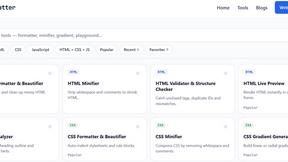
JoMatter
Jomatter provides free online tools for HTML, CSS, and JavaScript developers, helping simplify common web development and coding tasks.
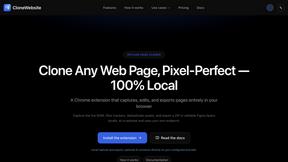
CloneWebsite
Clone any webpage pixel-perfect, export HTML/CSS/ZIP or React/Vue components.
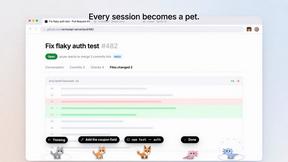
Agent Pets
Your Claude Code & Codex sessions as pets in Chrome. Approve, deny and reply to your coding agents from any tab.
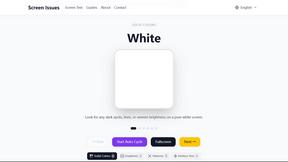
Screen Issues
Free Online Screen Test Tool - Instantly diagnose dead pixels, lines, color issues, and flickering. Multiple test modes, no download needed.
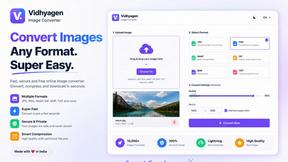
VidhyaGen - Image Converter
All-in-one digital toolkit for effortless image conversion, compression, resizing, and everyday file utilities in a single place.
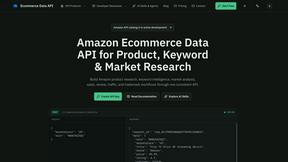
Ecommerce Data API
Amazon research data APIs for developers, sellers and AI agents. Integrate product, keyword and market research through REST APIs and MCP.