
MindMap AI
MindMap AI effortlessly transforms your ideas into structured, editable mind maps with intelligent co-editing support.
Visit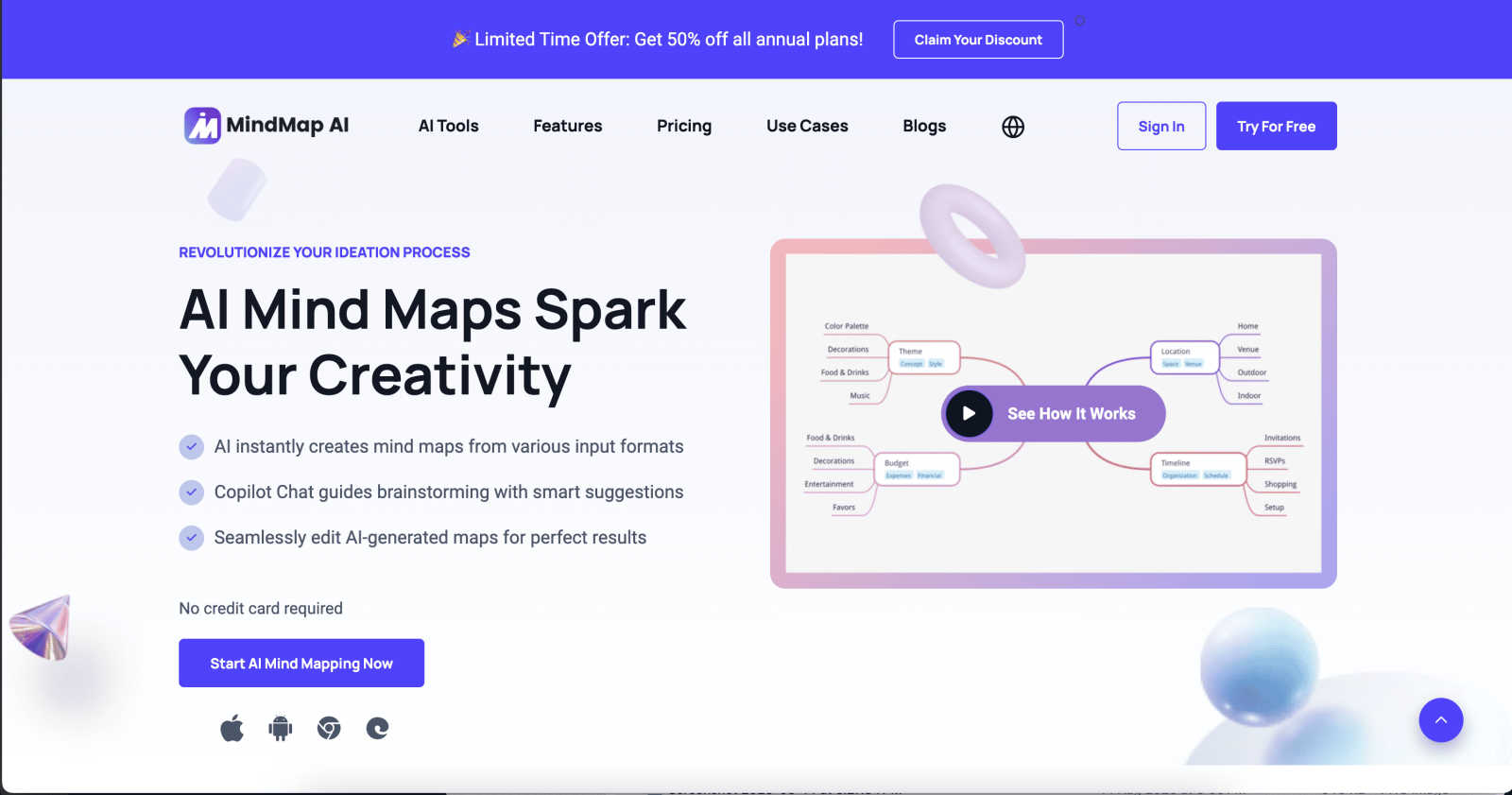
About MindMap AI
MindMap AI is an innovative, AI-powered mind mapping software designed for professionals, teams, students, and researchers who aim to enhance their brainstorming, planning, and knowledge organization processes. This cutting-edge tool offers the capability to transform various formats, including PDFs, documents, slides, images, and audio recordings, into engaging and dynamic visual mind maps. By streamlining complex ideas into actionable workflows, MindMap AI allows users to concentrate on creativity and strategic alignment instead of the tedious process of manual organization. Its exceptional value proposition lies in its ability to facilitate collaboration and understanding through visual representations of thoughts. With features such as Co-Pilot Chat, auto-expansion, and summarization, users can interact with their mind maps, posing questions and refining strategies while uncovering hidden insights. Available on web, mobile, and through various extensions, MindMap AI supports multi-format exports, making it an indispensable tool for planning, capturing meeting knowledge, and analyzing research effectively.
Features of MindMap AI
AI Thinking Mode
MindMap AI employs a sophisticated step-by-step reasoning engine that comprehensively understands context, hierarchy, and relationships before generating mind maps. This ensures that every mind map is structured, meaningful, and accurate from the outset, avoiding random branches and chaos.
File-to-Map Conversion
This feature allows users to transform any content, including text, PDFs, images, audio, video, and more, into a clean, visually appealing mind map almost instantaneously. Users can quickly dive into thinking and planning without the hassle of manual formatting.
Multi-Language Support
MindMap AI supports over 25 languages, enabling users to create and edit mind maps with consistent accuracy and structure. This feature ensures that users can work in their preferred language while maintaining the integrity of their ideas.
Continuous Editing
MindMap AI offers a reliable AI co-editing experience, allowing users to build their mind maps according to their vision. Users can expand, summarize, reorganize, and style their maps manually or with AI assistance, maintaining full control over their creative process.
Use Cases of MindMap AI
Team Brainstorming Sessions
MindMap AI is an excellent tool for team brainstorming, enabling collaborative idea generation in real-time. Teams can visualize their thoughts collectively, allowing for a more dynamic discussion and clearer understanding of shared objectives.
Project Planning
Professionals can utilize MindMap AI to outline project plans, timelines, and deliverables effectively. The visual structure of mind maps helps teams track progress and align tasks with strategic goals, ensuring seamless project execution.
Academic Research
Researchers can leverage MindMap AI to organize their findings, summarize literature, and visualize complex theories or concepts. By converting research documents into mind maps, scholars can identify connections and gaps in their studies effortlessly.
Meeting Knowledge Capture
During meetings, users can capture key insights, decisions, and action items in real-time using MindMap AI. The ability to transform meeting notes into structured mind maps enhances information retention and ensures that everyone is on the same page.
Frequently Asked Questions
What types of documents can I convert into mind maps using MindMap AI?
MindMap AI can convert various formats, including PDFs, documents, images, audio recordings, and even video content, into visually appealing mind maps instantly.
Is MindMap AI suitable for non-English speakers?
Yes, MindMap AI supports over 25 languages, allowing users to create and edit mind maps with accuracy and understanding in their preferred language.
Can I customize the appearance of my mind maps?
Absolutely! MindMap AI provides extensive customization options, enabling users to choose colors, fonts, shapes, and add widgets like Priority Flags and Due Dates to personalize their mind maps.
How does the AI ensure that my manual edits are not overwritten?
MindMap AI features MindMark Stability, which guarantees that your manual edits, custom layouts, and personal structures remain untouched, allowing the AI to expand around your ideas without disrupting your design.
Explore more in this category:
Similar to MindMap AI

Panzoe
Panzoe is an all-in-one AI platform for personal productivity, business automation, AI assistants, content creation, and custom AI solutions.
Verla AI
AI academic assistant for writing, research, presentations, and coding
Novastart
Novastart brings apps and files onto an infinite canvas where people and AI agents can work together.

AUTOMATER.ai
A tray helper for every AI coding tool: sessions, alerts and usage in one place
Aptitude Test Prep
Free timed practice for real employer aptitude tests

Solve Game Prep
Practice the McKinsey Solve game before it practices you.
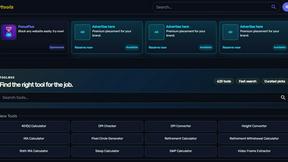
Kody Tools
Free collection of online developer utilities, code formatters, and digital converters designed to streamline your daily workflow.

Interview Practice
Rehearse behavioral interview answers out loud on a timer, then an AI mock scores each answer and shows a stronger one.