BoltShot
Capture high-quality screenshots of any URL instantly with BoltShot's ultra-fast API, ideal for developers and marketers alike.
Visit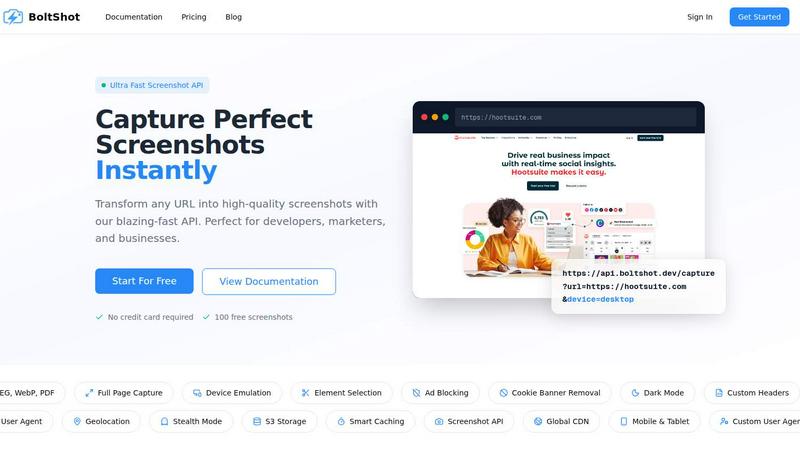
About BoltShot
BoltShot is an innovative website screenshot API designed to transform URLs into high-quality screenshots across various formats, including PNG, JPEG, WebP, and PDF, all through straightforward API requests. This tool is ideal for developers, marketers, and businesses seeking to streamline their workflow with fast and efficient screenshot capabilities. BoltShot supports full-page capture, device emulation for mobile, tablet, and desktop views, and offers customizable viewport settings to ensure flexibility in rendering. Users can effortlessly capture specific page elements using CSS selectors, while advanced features like ad blocking, cookie banner removal, and smart caching guarantee clean and efficient results. Additionally, BoltShot includes powerful functionalities such as S3 uploads with global CDN delivery, custom user agents, geolocation emulation, stealth mode, and the ability to set custom headers. With a focus on ease of use, BoltShot integrates seamlessly into various applications, making it ideal for e-commerce previews, automated reporting, web archiving, and compliance monitoring, eliminating the need for managing complex browser setups or infrastructures.
Features of BoltShot
Ultra-Fast API Response
BoltShot boasts an ultra-fast API that allows users to capture high-quality screenshots instantly. With a response time of under 100 milliseconds, developers can integrate this functionality into their applications without delays, ensuring efficient workflows.
Flexible Sizing Options
Users can capture screenshots in various formats and dimensions, including full-page captures, element targeting, or custom viewports. This flexibility enables developers to obtain pixel-perfect images tailored to their specific needs, enhancing the overall utility of the API.
Clean Capture Technology
BoltShot employs advanced technology to provide clean screenshots by automatically removing distractions such as ads, cookie consent banners, and popups. This ensures that users receive clear and professional-looking images, ideal for presentations or reports.
Comprehensive Device Emulation
The API supports comprehensive device emulation, allowing users to view how their web pages appear on different devices, including mobile, tablet, and desktop configurations. This feature is essential for responsive design testing and ensuring a consistent user experience across platforms.
Use Cases of BoltShot
E-commerce Previews
E-commerce businesses can utilize BoltShot to generate high-quality previews of product pages. This capability allows for the quick generation of marketing materials or social media posts, showcasing products in their best light and driving customer engagement.
Automated Reporting
Marketing teams can automate the reporting process by using BoltShot to capture website screenshots regularly. This feature simplifies monitoring website changes, campaign performance, and competitors' activities, providing valuable insights without manual effort.
Web Archiving
For organizations that need to preserve web content, BoltShot offers an effective solution for web archiving. Users can capture and store snapshots of web pages at specific points in time, ensuring compliance and documentation for future reference.
Compliance Monitoring
Businesses can use BoltShot to capture screenshots for compliance monitoring, ensuring that their websites meet legal and regulatory standards. By regularly documenting content, companies can address potential issues proactively and avoid compliance-related penalties.
Frequently Asked Questions
What formats does BoltShot support for screenshots?
BoltShot supports multiple formats, including PNG, JPEG, WebP, and PDF, allowing users to choose the best format for their specific needs.
How does BoltShot ensure clean screenshots?
The API includes built-in features such as ad blocking, cookie banner removal, and popup elimination, which work together to produce clean and distraction-free images.
Can I capture specific elements of a webpage?
Yes, BoltShot allows users to capture specific page elements by using CSS selectors, enabling targeted screenshot captures that focus on particular areas of interest.
What types of device emulation does BoltShot offer?
BoltShot provides device emulation for mobile, tablet, and desktop views, allowing users to see how their web pages appear across different devices and ensuring a consistent user experience.
Similar to BoltShot
Sprite Sheet Maker
A free browser-based toolkit for creating, cutting, converting, and previewing sprite sheet animations.
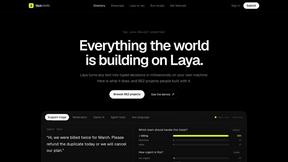
laya.tools
Free directory of 950+ projects built on Laya, the open-source model that turns text into typed decisions. Ports, SDKs, agents and demos.
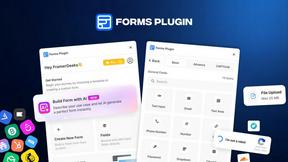
Forms Plugin
The #1 Native Form Builder Plugin for Framer - No Code, No Embeds, No External Platforms.


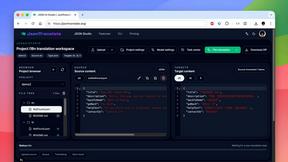
JsonTranslate
A json translater for translating JSON, Markdown, and TXT files while preserving keys, nested paths, and project structure.