
URL to Any vs Z Image Turbo
Side-by-side comparison to help you choose the right AI tool.

URL to Any
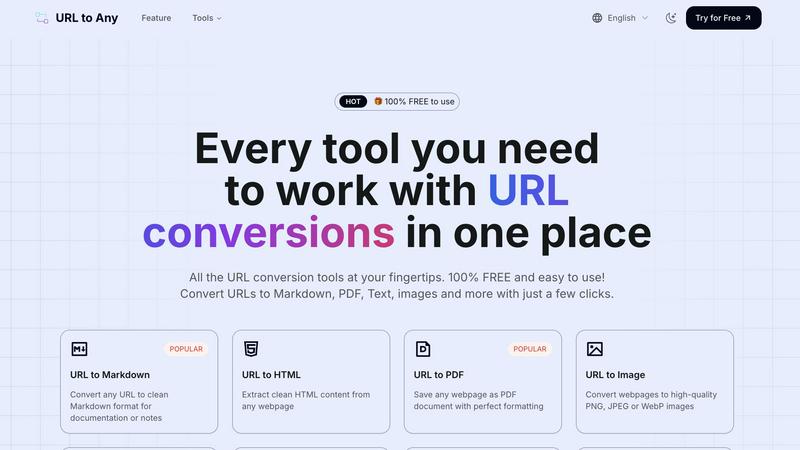
URL to Any instantly converts any webpage into Markdown, PDF, images, and more with a single click.
Last updated: March 1, 2026

Z Image Turbo
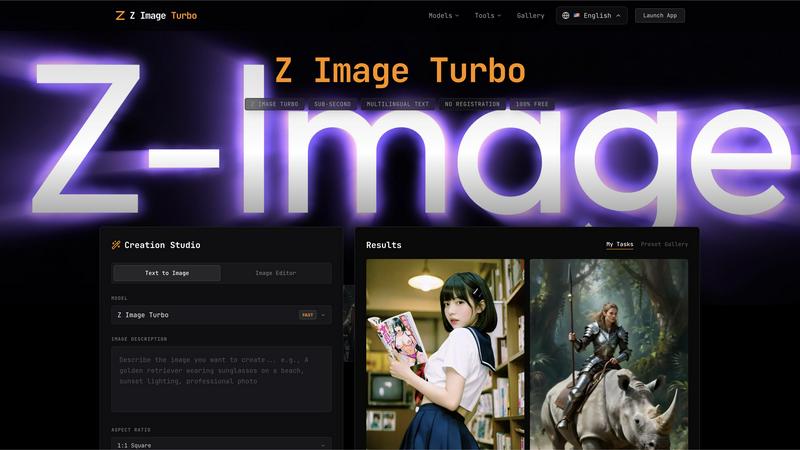
Z Image Turbo generates stunning 4K images in under one second with multilingual support, all completely free.
Last updated: February 27, 2026
Visual Comparison
URL to Any
Z Image Turbo
Feature Comparison
URL to Any
Multi-Format Conversion Engine
At the heart of URL to Any is its robust conversion engine that supports over ten distinct output formats. With just a few clicks, users can transform a live webpage into a clean PDF for archiving, structured Markdown for documentation, an image snapshot for presentations, or pure text for easy copying. This versatility ensures that regardless of your specific need—whether for development, content creation, or personal reference—the tool provides a direct and efficient path from URL to usable content without compromising on formatting quality.
Advanced Content Extraction Tools
Beyond basic conversion, URL to Any offers specialized extraction tools for technical and analytical tasks. Users can pull clean HTML from a page's source, convert content into structured JSON or XML for data processing, or extract all meta tags and headings for SEO analysis. The platform also includes utilities for encoding/decoding text in multiple formats and extracting every URL from a site into a handy list. These features cater to developers, digital marketers, and analysts who require precise data from the web.
AI-Powered Summarization
Leveraging advanced AI technology, URL to Any includes an intelligent summarizer that can instantly condense lengthy webpage articles, reports, or blog posts into concise summaries. This feature is invaluable for researchers, students, and professionals who need to quickly grasp the core ideas of online content without reading through entire pages, dramatically accelerating the information-gathering and review process.
Instant QR Code & File Generation
The tool simplifies sharing and accessibility by allowing users to generate QR codes from any URL with a single click, perfect for marketing materials or presentations. Furthermore, its integrated processing can convert text-based web content into an MP3 audio file, effectively turning articles into podcasts for on-the-go listening. This combination of utility features makes information more portable and accessible across different mediums and use cases.
Z Image Turbo
Sub-Second Generation
Z Image Turbo boasts an optimized inference pipeline that allows users to generate photorealistic images in under one second. This remarkable speed is achieved through an advanced 8-step diffusion process, making it ideal for users who require immediate results without sacrificing quality.
Accurate Multilingual Text Rendering
One of the standout features of Z Image Turbo is its ability to render text accurately in over 10 languages, including English and Chinese. This functionality is perfect for creating marketing materials, posters, and book covers without the worry of garbled letters or incorrect translations.
Consistent Character Identity
Z Image Turbo ensures that character identities remain consistent across multiple generations. This feature is particularly beneficial for storytellers and brands that rely on recognizable mascots or characters, allowing them to maintain the same look and style in various contexts.
Precise Camera Control
With Z Image Turbo, users have full control over virtual camera parameters, including depth of field and angle settings. The platform offers over 50 lens simulations, enabling creators to achieve the desired composition, lighting, and overall look for their images with precision.
Use Cases
URL to Any
Content Creation and Documentation
Bloggers, writers, and technical documentarians can use URL to Any to quickly capture research, quotes, or references from web pages. Converting a source article into clean Markdown or text allows for easy integration into notes, drafts, or documentation systems without messy formatting issues, streamlining the research and writing pipeline while properly attributing sources.
Web Development and Design
Developers and designers frequently need to analyze website structure, extract specific code snippets, or capture design layouts. Converting a URL to HTML provides clean code for study, while generating an image of the page offers a perfect visual reference for mockups or client presentations, facilitating more efficient design replication and debugging.
Academic Research and Study
Students and academics can save online journals, articles, and resources as well-formatted PDFs for offline reading and annotation. The AI summarizer helps in quickly reviewing literature, and extracting pure text is ideal for highlighting key points or importing citations into research papers, making the tool a powerful ally for efficient study sessions.
Digital Marketing and SEO Analysis
SEO specialists and digital marketers can leverage the meta tag and heading extractors to audit competitors' websites and analyze on-page SEO elements. The ability to export this data to CSV allows for easy comparison and reporting. Additionally, creating QR codes from campaign landing pages is a quick way to bridge offline and online marketing efforts.
Z Image Turbo
Marketing and Advertising
Businesses can leverage Z Image Turbo to create eye-catching marketing visuals in minutes. From promotional banners to product shots, the platform's speed and multilingual capabilities make it an invaluable tool for marketers looking to engage a diverse audience.
Character Design and Development
Artists and game developers can use Z Image Turbo to generate consistent character designs quickly. Whether for animation, gaming, or comics, the tool helps maintain character fidelity across various scenes, streamlining the creative process.
Social Media Content Creation
Content creators can utilize Z Image Turbo to produce high-quality images for their social media platforms. With the ability to generate images in various styles and formats, users can keep their feeds fresh and engaging without investing significant time.
Educational and Presentational Materials
Educators and professionals can create visually appealing presentations and educational materials using Z Image Turbo. The tool's accurate text rendering and diverse style options allow users to produce materials that are both informative and visually captivating.
Overview
About URL to Any
URL to Any is a comprehensive, free-to-use web content conversion platform designed to streamline the process of capturing and transforming online information. It serves as an essential toolkit for content creators, developers, researchers, and anyone who regularly works with web-based content. The core value proposition is its powerful simplicity: a single, accessible interface that instantly converts any webpage into a wide array of practical formats, including Markdown, PDF, HTML, images, and structured data like JSON and XML. By eliminating the need for complex software, manual copying, or user registration, URL to Any bridges the gap between dynamic online resources and the static formats required for editing, archiving, sharing, and analysis. It empowers users to save time, enhance productivity, and integrate web content seamlessly into their digital workflows, all while maintaining a strong commitment to user privacy with secure, cloud-based processing that does not store personal data.
About Z Image Turbo
Z Image Turbo is a cutting-edge AI image generation tool designed to create stunning, high-quality 4K photorealistic images in mere seconds. It stands out in the competitive landscape of image generators by offering sub-second rendering capabilities, which is ten times faster than many alternatives. Whether you are a marketer, content creator, or simply someone who appreciates high-quality visuals, Z Image Turbo caters to your needs by allowing you to generate images without any registration or costs. With advanced models like GPT Image 1.5, Flux 2, and Seedream 4.5, users can experiment with various styles and formats, ensuring that they receive tailor-made visuals that meet their specific requirements. The platform's multilingual text rendering capabilities enhance its usability for global audiences, making it the perfect choice for anyone looking to create professional-grade images quickly and efficiently.
Frequently Asked Questions
URL to Any FAQ
Is URL to Any really free to use?
Yes, URL to Any is completely free to use. Every tool and feature on the platform is available at no cost, with no hidden fees, subscription plans, or required user registration. You can start converting URLs immediately without any limitations on usage.
How does URL to Any handle my privacy and data?
Your privacy is a top priority. URL to Any processes all conversions securely in the cloud. Crucially, the submitted URLs and the resulting converted content are not stored on their servers after the processing is complete. Your data remains private and is not used for any other purpose.
What formats can I convert a URL into?
URL to Any supports a wide range of formats to suit various needs. Popular options include Markdown, PDF, PNG/JPEG/WebP images, plain text, HTML, JSON, and XML. You can also generate QR codes, extract all links from a page, and even convert text content to MP3 audio files.
Do I need to install any software to use it?
No installation is required. URL to Any is a fully web-based platform that runs in your browser. However, for added convenience, a browser extension is available to allow for even quicker access to the conversion tools directly from your browser's toolbar while you browse.
Z Image Turbo FAQ
What types of images can I generate with Z Image Turbo?
Z Image Turbo allows you to create a wide range of images, including photorealistic visuals, illustrations, character designs, and more. You can choose from over 50 styles to suit your needs.
Do I need to register to use Z Image Turbo?
No, Z Image Turbo is completely free to use, and there is no registration required. You can start generating images immediately after accessing the platform.
Is there a limit to the number of images I can create?
Z Image Turbo does not impose any limits on the number of images you can generate. You can create as many images as you want, allowing for endless creative possibilities.
What formats can I export my images in?
You can export your generated images in multiple formats, including PNG, JPG, and WebP. This flexibility ensures that your images are ready for various applications, from web use to print.
Alternatives
URL to Any Alternatives
URL to Any is a streamlined web content conversion tool, part of the broader AI Assistants category. It allows users to effortlessly transform any webpage into formats like Markdown, PDF, or images directly from a URL, all without registration or cost. Users often seek alternatives for various reasons. Some may require advanced features like batch processing or API access, while others might need integration with specific platforms or workflows. Pricing models, such as subscription tiers for higher usage limits, can also drive the search for different solutions. When evaluating other tools, consider your core needs. Key factors include the range of supported output formats, processing speed, data privacy policies, and whether the tool operates as a one-time purchase, a freemium service, or a completely free utility like URL to Any. The ideal choice balances functionality with simplicity for your specific use case.
Z Image Turbo Alternatives
Z Image Turbo is an innovative AI image generator that specializes in creating high-quality 4K photorealistic images in mere seconds. As part of the AI Assistants and Tech Tools category, it stands out for its multilingual text rendering capabilities, allowing users to generate images without the need for registration. However, users often seek alternatives to Z Image Turbo for various reasons, including specific feature sets, pricing structures, or compatibility with different platforms. When exploring alternatives, it is essential to consider factors such as image quality, ease of use, and the overall versatility of the tool to ensure it meets your unique creative needs.