
ClubDJ Pro vs Singify AI Vocal Remover
Side-by-side comparison to help you choose the right AI tool.

ClubDJ Pro
ClubDJ Pro is a versatile DJ software featuring built-in dual-deck video mixing and advanced effects for a seamless mixing experience.
Last updated: March 19, 2026

Singify AI Vocal Remover
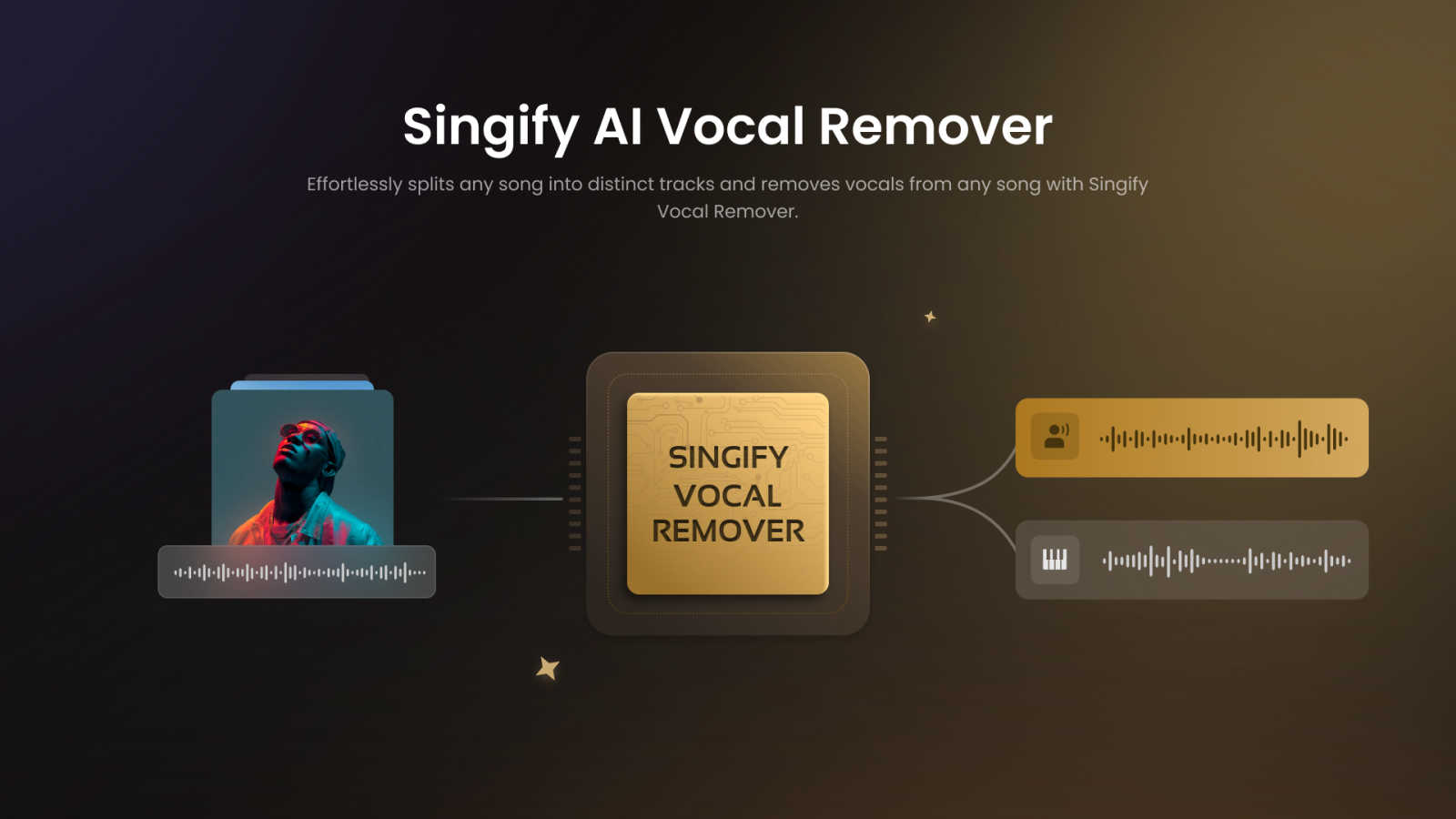
Singify AI Vocal Remover instantly isolates vocals or instruments from any song for free.
Last updated: March 1, 2026
Visual Comparison
ClubDJ Pro

Singify AI Vocal Remover
Feature Comparison
ClubDJ Pro
Dual Deck Video Mixing
ClubDJ Pro stands out with its unique built-in dual-deck video mixing capability. This feature allows DJs to mix video content alongside audio tracks, enabling a more immersive experience. With no plugins required, video mixing is seamlessly integrated, making it accessible and easy to use for all skill levels.
Live Waveforms
The software provides scrolling waveform displays that feature beat grid overlays. This allows DJs to visually track beats, drops, and breaks at a glance, enhancing their mixing accuracy and timing. The live waveform display is an invaluable tool for maintaining energy and flow during performances.
Auto BPM & Beat Sync
ClubDJ Pro incorporates advanced beat detection technology with two-decimal precision. The continuous phase-locked sync ensures that tracks remain perfectly aligned, allowing for smooth transitions and beat-matched loops. This feature is essential for DJs looking to maintain rhythm and energy during their sets.
3-Band EQ & Effects
Each deck in ClubDJ Pro is equipped with a professional-grade 3-band equalizer, providing DJs with extensive control over their sound. Additionally, the software includes over 25 GPU-accelerated video effects, allowing for creative visual enhancements during performances. This combination of EQ and effects ensures that DJs can tailor their sound and visuals to suit their style.
Singify AI Vocal Remover
Advanced Multi-Stem Separation
Singify employs a sophisticated AI model capable of separating audio into up to 10 distinct stems. Beyond simple vocal and instrumental isolation, you can extract precise elements like bass, piano, drums, guitar, organ, strings, and wind instruments. This granular control allows for professional-grade deconstruction of any track, enabling detailed remixing, sampling, and analysis that was once only possible in high-end studios.
Intuitive and Accessible Web Platform
Designed with user experience in mind, Singify operates entirely online through a streamlined, browser-based interface. The process is simplified to three steps: upload, process, and download. This eliminates the need for complex software installations or deep technical knowledge, making professional audio separation accessible to everyone, from beginners to seasoned pros, on any device.
High-Quality, Artifact-Free Output
The tool prioritizes sound integrity above all. Using cutting-edge audio processing algorithms, it meticulously separates tracks while preserving the intricate details and dynamics of the original recording. The result is clean, distortion-free stems with minimal unwanted artifacts like phasing or reverb bleed, ensuring the output is of practical use for serious projects.
Flexible Input and Output Options
Singify supports a versatile range of workflows. You can upload audio files directly from your computer in popular formats (MP3, WAV, M4A, etc.) or simply paste a YouTube video URL for cloud-based processing. Once separated, you can preview each stem and download them in high-quality formats, providing seamless integration into your existing creative or editing pipeline.
Use Cases
ClubDJ Pro
Live Performances
DJs can utilize ClubDJ Pro for live performances, where real-time mixing and video integration are critical. The dual-deck video mixing feature allows for captivating visuals, making performances more engaging for the audience.
Practice Sessions
Aspiring DJs can use ClubDJ Pro to practice their mixing skills in a user-friendly environment. The software's intuitive interface and essential features enable beginners to learn and experiment without feeling overwhelmed.
Event DJing
ClubDJ Pro is ideal for event DJs who need to create dynamic and memorable experiences. With the ability to mix both audio and video, DJs can customize their sets to suit various events, from weddings to corporate parties.
Content Creation
Content creators looking to produce music mixes or video content can leverage ClubDJ Pro's advanced features. The software allows for creative editing and mixing, making it a valuable tool for producing engaging audiovisual content.
Singify AI Vocal Remover
Music Production and Remixing
Producers and DJs can deconstruct existing songs to isolate pristine drum loops, melodic hooks, or basslines for sampling and integration into new compositions. This facilitates creative remixing, mashup creation, and sound design, providing a library of high-quality stems from virtually any track to spark new musical ideas.
Karaoke and Backing Track Creation
Content creators, cover artists, and karaoke enthusiasts can effortlessly generate clean instrumental backing tracks by removing vocals from any song. This allows singers to perform over professional accompaniments for YouTube covers, live performances, or personal practice, without the need for officially released instrumental versions.
Music Practice and Learning
Musicians and students can isolate specific instrument tracks from complex recordings to hear parts clearly. A guitarist can isolate the bass line to study it, a drummer can solo the drum track to learn a pattern, or a vocalist can remove the lead vocal to practice harmonies, making it an invaluable tool for ear training and song learning.
Audio Cleaning for Content Creation
Video editors, podcasters, and social media creators can use the tool to separate speech, music, and sound effects from audio clips. This allows for the removal or reduction of background music from interview footage, the creation of custom soundscapes, or the isolation of specific audio elements for use in video projects, enhancing overall production quality.
Overview
About ClubDJ Pro
ClubDJ Pro is a leading professional DJ software mixing application that empowers DJs to create seamless mixes in real time. Designed with a clean and intuitive interface, the software caters to both beginners and seasoned pros. First launched in 2004 and enhanced with modern technology, ClubDJ Pro is now available across multiple platforms, including iOS, macOS, and Windows. This versatility allows DJs to mix music from virtually any device, making it a convenient tool for performances, practice sessions, or casual mixing.
The software is equipped with dual decks, allowing for simultaneous track playback, along with powerful features such as waveform visualization, cue points, looping, and pitch control. Additionally, it offers real-time effects tailored for dynamic performances. Unlike many complex DJ platforms overloaded with features, ClubDJ Pro prioritizes speed, simplicity, and performance. This focus ensures that DJs can quickly adapt to their mixing environment without unnecessary distractions, making it a reliable choice for anyone looking to enhance their music mixing experience.
About Singify AI Vocal Remover
Singify AI Vocal Remover is a state-of-the-art online audio processing tool that deconstructs music into its core components with remarkable precision. It leverages advanced artificial intelligence, specifically an 8-stem separation model, to isolate or remove specific elements from any song. The tool can expertly extract individual stems for vocals, drums, bass, piano, electric guitar, acoustic guitar, and synthesizers, providing users with unparalleled control over audio for creative and professional purposes. Engineered for both speed and quality, it delivers fast separation results while minimizing unwanted audio artifacts and preserving the original integrity of the sound.
Built for a wide audience, Singify serves professional musicians and audio engineers seeking high-fidelity stems for remixing and sampling, content creators in need of clean backing tracks for karaoke or covers, and hobbyists exploring the fundamentals of music production. Its core value proposition lies in combining cutting-edge, regularly updated AI technology with an intuitive, web-based platform that is both powerfully capable and effortlessly accessible, requiring no technical expertise or expensive desktop software.
Frequently Asked Questions
ClubDJ Pro FAQ
What platforms is ClubDJ Pro available on?
ClubDJ Pro is available on iOS, macOS, and Windows, allowing DJs to mix music from a wide range of devices.
Is there a free version of ClubDJ Pro?
Yes, ClubDJ Pro offers a free online mixer that allows users to mix tracks without downloading any software. Additionally, the desktop version can be downloaded for free with all features unlocked for limited sessions.
Can I use ClubDJ Pro for video mixing?
Absolutely, ClubDJ Pro is one of the few DJ software products that includes built-in dual-deck video mixing, along with GPU-accelerated effects and shader transitions for video content.
Does ClubDJ Pro require a subscription?
No, ClubDJ Pro operates on a one-time purchase model, eliminating the need for ongoing subscription fees. This makes it a cost-effective solution for DJs looking for professional mixing software.
Singify AI Vocal Remover FAQ
How does Singify AI Vocal Remover work?
Singify uses advanced artificial intelligence models trained on vast musical datasets to recognize and differentiate between various sound elements in a song, such as vocals, drums, and specific instruments. When you upload a track, the AI analyzes the audio and intelligently separates it into its constituent stems, allowing for isolation or removal with high accuracy.
What audio file formats are supported?
The tool supports a wide range of common audio and video formats for input, including MP3, WAV, FLAC, AIFF, MP4, and MOV. For output, you can typically download the separated stems in high-quality formats like MP3 or WAV, ensuring compatibility with most audio editing and playback software.
Can I remove vocals from a YouTube video?
Yes. Singify allows you to process audio directly from YouTube. Simply copy and paste the video URL into the provided field on the platform. The tool will extract the audio from the video in the cloud and process it for vocal removal or stem separation, all without needing to download the video to your device first.
Is there a limit to file size or duration?
Yes, to ensure optimal performance for all users, there are limits. Based on the provided interface, the maximum file duration for upload is 20 minutes, and the maximum file size is 30MB. For longer YouTube videos, the tool will typically process the audio corresponding to the standard video length.
Alternatives
ClubDJ Pro Alternatives
ClubDJ Pro is a professional DJ mixing software designed for all platforms, allowing DJs to mix tracks in real time with a user-friendly interface. As a versatile tool, it caters to both beginner and professional DJs by providing essential features such as dual decks, waveform visualization, and real-time effects. Users often seek alternatives to ClubDJ Pro due to various reasons, including pricing, specific feature sets, or compatibility with different devices and operating systems. When evaluating alternatives, it's crucial to consider factors such as the software's ease of use, performance capabilities, and the range of features that align with your mixing style and needs. A good alternative should offer a balance of functionality and simplicity, ensuring that you can focus on creating great mixes without being overwhelmed by unnecessary complexity.
Singify AI Vocal Remover Alternatives
Singify AI Vocal Remover is a leading tool in the AI audio separation category, designed to isolate vocals and up to seven other instrumental stems from any song quickly and for free. It sets a high standard for quality and accessibility in music deconstruction. Users often explore alternatives for various reasons. Some may require specific features not covered by a single tool, such as different output formats, batch processing, or integration with other software. Others might be evaluating options based on future pricing models, platform availability, or the need for even more specialized stem separation. When considering other options, focus on the core factors that impact your workflow. Key considerations include the quality and clarity of the separation, the speed of processing, the range of stems available, and the overall user experience. The best choice balances these technical capabilities with your specific project requirements and budget.