
3D AI Maker vs Video Database
Side-by-side comparison to help you choose the right AI tool.

3D AI Maker
Create production-ready 3D models from text or images instantly and for free.
Last updated: February 28, 2026

Video Database
Video Database is a curated library of winning short-form videos to inspire and inform your content strategy.
Last updated: April 13, 2026
Visual Comparison
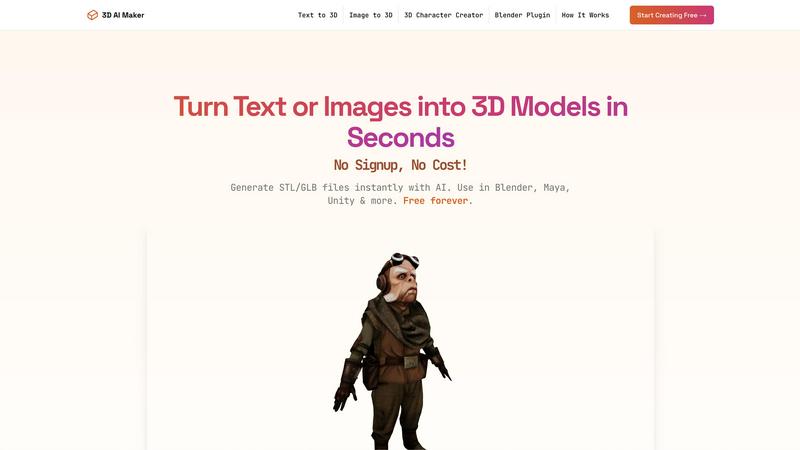
3D AI Maker
Video Database

Feature Comparison
3D AI Maker
Text to 3D Generation
Describe your vision in plain language, and watch it materialize into a three-dimensional model. This feature interprets detailed text prompts, like "a cyberpunk robot with neon accents" or "a cozy fantasy cottage," leveraging cutting-edge AI to build geometry, apply textures, and create a complete asset ready for use in under half a minute.
Image to 3D Conversion
Transform any 2D JPG or PNG photograph, artwork, or sketch into a fully realized 3D model. This powerful tool analyzes the uploaded image, extrapolates depth and form, and constructs a textured 3D representation, perfect for turning family photos into 3D printed keepsakes or conceptual art into viable game assets.
Direct Blender Plugin
This professional workflow integration allows users to generate AI models without ever leaving the Blender environment. Install the plugin to access 3D AI Maker's capabilities directly within Blender 3.0+, enabling a seamless, non-disruptive pipeline for artists and developers who require efficient prototyping and asset creation within their primary software.
Versatile GLB & STL Export
Download your generated models in the industry-standard formats you need. Export as GLB files for immediate use in animation, game engines like Unity, or real-time applications. Alternatively, export as STL files optimized for 3D printing, ensuring compatibility with slicer software and printers for physical creation.
Video Database
Hand-Curated Video Library
The foundation of Video Database is its collection of thousands of high-performing short-form videos, each manually selected for their effectiveness. This is not an automated scrape; it's a selective library built by experts who identify videos that demonstrate winning hooks, concepts, and formats. Every entry includes vital metadata like the creator, post date, view count, like count, and a calculated engagement multiplier (like-to-view ratio), providing immediate context for its success. This curation ensures you are studying proven examples, not just popular trends.
Advanced Filtering & Browsing
Move beyond basic search with a sophisticated filtering system that allows for precise discovery. You can browse videos by their structural Format (like One Shot, Carousel, or Greenscreen Talking Head) or by their core creative Concept (such as Expectation vs Reality, Product Demo, or Origin Story). Further filters let you sort by account type (Personal Brand, Business, etc.), performance metrics, and date added. This granularity helps you find exactly the type of reference you need, whether you're exploring a specific format or seeking inspiration for a particular messaging goal.
Creator Panel & Video DNA Extraction
Available in the Creator plan and above, this powerful feature provides AI-assisted creative tools directly within the context of a reference video. You can generate personalized hook ideas, brainstorm related video concepts, or write full scripts in your brand's voice. The "Extract Video DNA" function is particularly valuable, deconstructing a successful video into a detailed markdown template outlining its hook, visual structure, pacing, and key moments—essentially giving you a blueprint to adapt.
Save, Organize & Swipefiles
The platform enables you to build your own personalized knowledge base. You can save individual videos to custom collections for different projects or campaigns. For teams and serious creators, the ability to "Create & Share Swipefiles" turns personal research into a collaborative strategic asset. This feature ensures your best finds and inspirations are never lost, creating an always-accessible bank of proven creative references tailored to your specific needs.
Use Cases
3D AI Maker
Rapid Game Development Prototyping
Game developers and indie creators can swiftly visualize characters, props, and environmental assets from concept art or written descriptions. This accelerates the pre-production and prototyping phase, allowing for faster iteration and concept validation before committing to detailed, manual modeling.
Accessible 3D Printing Model Creation
Hobbyists, educators, and professionals can easily convert 2D images or ideas into printable 3D objects. Whether creating custom figurines, educational models, or personalized gifts, the platform simplifies the entire process from digital concept to physical STL file ready for the printer.
Streamlined VR/AR Content Production
Creators building immersive experiences for virtual or augmented reality can generate a wide variety of 3D assets on demand. This supports the fast-paced development needs of VR/AR projects, where a large volume of unique 3D models is often required to build engaging worlds.
Beginner-Friendly 3D Modeling Introduction
For students, artists new to 3D, or anyone curious about digital creation, 3D AI Maker provides an effortless and encouraging entry point. It allows users to experience the joy of bringing ideas to life in 3D without the initial intimidation of complex software interfaces and tools.
Video Database
Content Creator Research & Ideation
A creator struggling with ideation or looking to refine their style can use the database to study top performers in their niche. By filtering by format (e.g., "Relatable One Shot") or concept (e.g., "Hot Take"), they can analyze dozens of examples to understand successful patterns, hooks, and editing techniques. The Creator Panel can then help them generate new, personalized ideas and scripts based on these proven frameworks, significantly speeding up the creative process.
Social Media Manager Campaign Planning
A social media manager planning a campaign for a brand can use the database to find relevant "Product Demo" or "Brand" videos. They can analyze what resonates with audiences, study engagement metrics to set realistic benchmarks, and build a swipefile of references to align their creative team. This provides a data-backed foundation for creative briefs and ensures proposed concepts are informed by real-world success, not just guesswork.
Video Strategist Trend Analysis
A strategist or agency lead needs to stay ahead of trends and advise clients on effective formats. They can use the database's "Always Updated" feed and advanced filters to track the performance of new video styles and concepts over time. By following specific creators or monitoring newly added videos daily, they can identify emerging patterns and provide forward-thinking strategic recommendations based on concrete examples.
Educator & Course Creator Curriculum Development
An educator, like the Cut30 bootcamp itself, can leverage the database as a teaching tool. Instead of sending students to random social platforms, they can direct them to specific, pre-vetted examples within the database that perfectly illustrate a lesson on hook writing, pacing, or visual storytelling. They can create shared collections for their students, ensuring everyone studies from the same set of high-quality, relevant reference material.
Overview
About 3D AI Maker
3D AI Maker is a revolutionary platform that transforms the complex, time-consuming process of 3D modeling into an instant, accessible, and completely free creative experience. It democratizes 3D content creation by allowing anyone to generate fully textured, production-ready 3D models from a simple text description or a 2D image. The core value proposition is powerful simplicity: eliminate the traditional barriers of expensive software, steep learning curves, and hours of manual labor. In approximately 20 seconds, an idea or photograph is converted into a versatile 3D asset. The platform serves a broad spectrum of users, from professional game developers and VR creators needing rapid prototyping to 3D printing hobbyists and educators, all the way to complete beginners with no prior modeling experience. A key differentiator is its professional-grade Blender plugin, which seamlessly integrates AI generation directly into an artist's established workflow, offering a potent and accessible alternative to paid tools. With no sign-up required and a commitment to being free forever, 3D AI Maker empowers over 500,000 users to unleash their creativity without cost or complexity.
About Video Database
Video Database is a meticulously curated reference library and analysis platform for short-form video content, designed to replace endless, inefficient scrolling. Born from the internal needs of the Cut30 short-form video bootcamp, it solves a fundamental problem for creators and strategists: the need to systematically study top-performing content without being at the mercy of algorithmic feeds. The platform transforms scattered inspiration into a structured, searchable, and analytical resource. It houses thousands of hand-picked winning videos from platforms like Instagram and TikTok, each tagged, categorized, and analyzed with key performance metrics. This tool is built for content creators, social media managers, brand strategists, and marketers who value quality over quantity and seek a strategic, data-informed approach to video research and creation. Its core value proposition is delivering curated excellence and deep structural insights, enabling users to understand why videos work and apply those lessons directly to their own content strategy.
Frequently Asked Questions
3D AI Maker FAQ
Is 3D AI Maker really free?
Yes, 3D AI Maker is completely free to use with no hidden costs or subscription fees. The platform operates on a "free forever" model with no sign-up required, offering unlimited generations and exports without requiring a credit card. This is a core commitment of the service.
How does this compare to Meshy/Other tools?
3D AI Maker positions itself as a powerful, free alternative to paid services like Meshy. While offering similar core AI generation capabilities from text and images, its standout differentiators are the completely free access model and the direct, seamless integration with Blender via its dedicated plugin for professional workflows.
Can I use the models commercially?
Yes, models generated with 3D AI Maker can be used for commercial purposes. You own the output and are free to use the 3D assets in commercial projects, including games, animations, 3D printed products for sale, and other professional applications without licensing restrictions.
How do I install the Blender plugin?
The Blender plugin can be installed directly from the 3D AI Maker website. The process involves downloading the plugin file and installing it through Blender's preferences menu under the "Add-ons" section. Detailed tutorial guides are available in the Resources section to walk you through the simple setup.
Video Database FAQ
What makes this different from just browsing TikTok or Instagram?
Video Database removes the noise and algorithmic manipulation of social feeds. Instead of passive scrolling, it offers active, structured research. Every video is pre-vetted for quality and tagged with analytical data and structural categories (Format, Concept) that platforms don't provide. It's a focused tool for study and deconstruction, not entertainment, designed to save time and provide strategic insights you can't get from the apps themselves.
How often is the video library updated?
New videos are added daily to ensure the library reflects the latest trends and techniques. The homepage highlights recent additions, and the platform is committed to continuously expanding its curated collection with fresh, high-performing content from across major short-form platforms.
What is a "Video DNA" extraction?
Video DNA is a detailed breakdown of a video's successful formula. When you extract it, the system generates a markdown document that outlines the core hook, the visual and audio structure, key scene-by-scene moments, pacing notes, and the underlying concept. It transforms a great video from mere inspiration into an actionable template you can adapt for your own content.
Can I submit videos I find for analysis?
Yes, this is a feature included in the Creator plan and above. If you find a compelling video on social media that you believe holds valuable lessons, you can submit it to the Video Database team for potential inclusion and analysis. This helps grow the library with community-sourced gems and allows you to request a professional breakdown of videos you're curious about.
Alternatives
3D AI Maker Alternatives
3D AI Maker is a free, web-based tool in the category of AI-powered 3D generation. It allows users to create textured, production-ready 3D models from simple text descriptions or uploaded images in seconds, democratizing access to 3D content creation. Users may explore alternatives for various reasons. Some require advanced features like animation rigging or higher-resolution outputs, while others may need integration with different software ecosystems beyond Blender. Budget considerations also play a role, as some seek more robust commercial solutions or, conversely, tools with similar free tiers but different limitations. When evaluating other options, consider the core workflow: whether you primarily need text-to-3D, image-to-3D, or both. Assess the quality and format of exports for your specific use case, be it game development, 3D printing, or animation. Finally, examine the integration capabilities with your existing software and the overall cost structure, including any usage limits or subscription requirements.
Video Database Alternatives
Video Database is a curated content creation tool designed to organize and analyze high-value creator videos. It solves the problem of endless, inefficient scrolling by providing a centralized library of hand-picked references, allowing creators and strategists to study proven techniques systematically. Users may seek alternatives for various reasons, such as budget constraints, a need for different feature sets like collaborative editing or AI tagging, or a preference for a platform that integrates directly with their existing workflow tools. The specific demands of a team or individual project often drive this search. When evaluating an alternative, prioritize a quality-over-quantity approach. Look for a solution that offers thoughtful curation, robust organization beyond basic folders, and analytical insights that help you understand why a video works, not just where to store it. The goal is to transform inspiration into actionable strategy.