
3D AI Maker vs Hunyuan3D
Side-by-side comparison to help you choose the right AI tool.

3D AI Maker
Create production-ready 3D models from text or images instantly and for free.
Last updated: February 28, 2026

Hunyuan3D
Hunyuan3D quickly transforms text and images into stunning, production-ready 3D assets, all for free and open-source.
Last updated: February 27, 2026
Visual Comparison
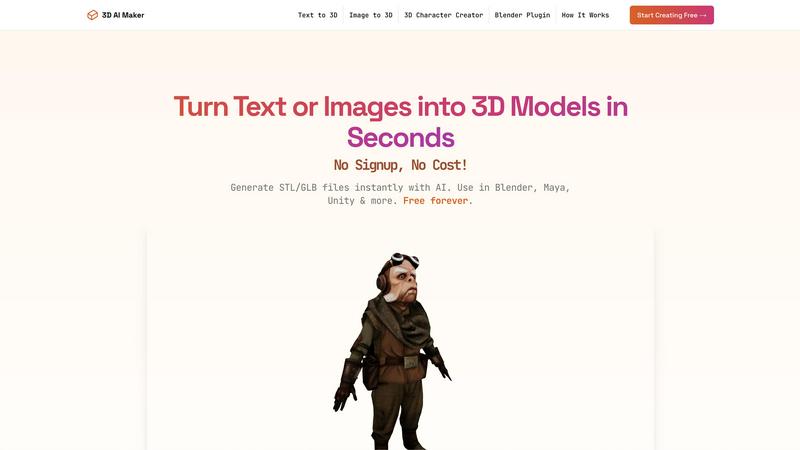
3D AI Maker
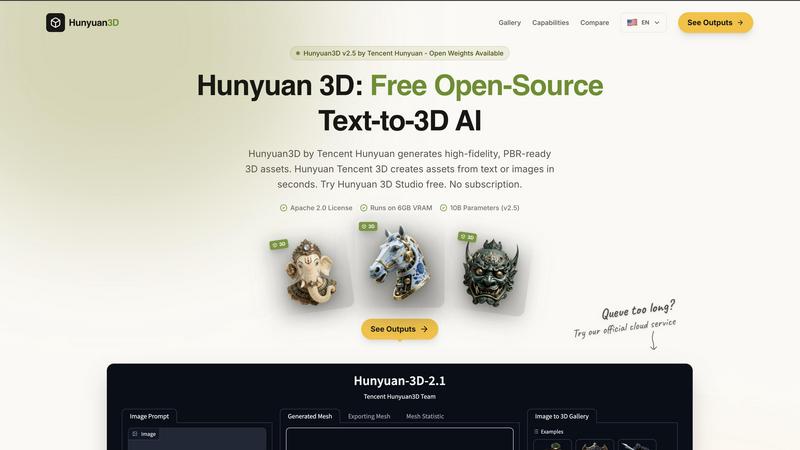
Hunyuan3D
Feature Comparison
3D AI Maker
Text to 3D Generation
Describe your vision in plain language, and watch it materialize into a three-dimensional model. This feature interprets detailed text prompts, like "a cyberpunk robot with neon accents" or "a cozy fantasy cottage," leveraging cutting-edge AI to build geometry, apply textures, and create a complete asset ready for use in under half a minute.
Image to 3D Conversion
Transform any 2D JPG or PNG photograph, artwork, or sketch into a fully realized 3D model. This powerful tool analyzes the uploaded image, extrapolates depth and form, and constructs a textured 3D representation, perfect for turning family photos into 3D printed keepsakes or conceptual art into viable game assets.
Direct Blender Plugin
This professional workflow integration allows users to generate AI models without ever leaving the Blender environment. Install the plugin to access 3D AI Maker's capabilities directly within Blender 3.0+, enabling a seamless, non-disruptive pipeline for artists and developers who require efficient prototyping and asset creation within their primary software.
Versatile GLB & STL Export
Download your generated models in the industry-standard formats you need. Export as GLB files for immediate use in animation, game engines like Unity, or real-time applications. Alternatively, export as STL files optimized for 3D printing, ensuring compatibility with slicer software and printers for physical creation.
Hunyuan3D
Rapid 3D Asset Generation
Hunyuan3D can generate 3D meshes from both text descriptions and single 2D images, significantly reducing the time and effort required for asset creation. This rapid generation capability allows creators to iterate quickly and experiment with different designs without the traditional long hours usually associated with 3D modeling.
High-Quality PBR Textures
The system produces PBR-ready textures at resolutions of up to 4K, ensuring that the generated assets maintain high visual fidelity. These textures are essential for achieving realistic lighting and material effects in various rendering engines, making them suitable for professional applications in games and films.
Clean Mesh Topology
Hunyuan3D guarantees clean mesh topology that is suitable for animation and production pipelines. This feature is crucial for artists and animators who require rigs and deformations to work seamlessly, thereby enhancing the usability of the generated assets in various projects.
Cross-Compatible Integration
The platform is designed to be compatible with popular 3D software such as Blender, Unity, and Unreal Engine. This cross-compatibility means that users can easily integrate their generated assets into their preferred workflows, streamlining the development process and enhancing productivity.
Use Cases
3D AI Maker
Rapid Game Development Prototyping
Game developers and indie creators can swiftly visualize characters, props, and environmental assets from concept art or written descriptions. This accelerates the pre-production and prototyping phase, allowing for faster iteration and concept validation before committing to detailed, manual modeling.
Accessible 3D Printing Model Creation
Hobbyists, educators, and professionals can easily convert 2D images or ideas into printable 3D objects. Whether creating custom figurines, educational models, or personalized gifts, the platform simplifies the entire process from digital concept to physical STL file ready for the printer.
Streamlined VR/AR Content Production
Creators building immersive experiences for virtual or augmented reality can generate a wide variety of 3D assets on demand. This supports the fast-paced development needs of VR/AR projects, where a large volume of unique 3D models is often required to build engaging worlds.
Beginner-Friendly 3D Modeling Introduction
For students, artists new to 3D, or anyone curious about digital creation, 3D AI Maker provides an effortless and encouraging entry point. It allows users to experience the joy of bringing ideas to life in 3D without the initial intimidation of complex software interfaces and tools.
Hunyuan3D
Game Development
Game developers can utilize Hunyuan3D to rapidly create character models, vehicles, and environments from simple text prompts or images. This accelerates the asset creation process, allowing teams to focus on gameplay mechanics and design rather than getting bogged down in modeling.
Animation Production
Animators can leverage Hunyuan3D to generate high-quality 3D assets that can be easily rigged and animated. The clean mesh topology ensures that characters and objects deform correctly, which is vital for producing fluid and believable movements in animated features.
Architectural Visualization
Architects and designers can use Hunyuan3D to create detailed 3D models of buildings and interiors from conceptual drawings or descriptions. The ability to generate PBR textures enhances the realism of visualizations, aiding in presentations and client approvals.
Artistic Exploration
Artists can explore new creative avenues by generating unique sculptures, characters, and objects directly from their imagination. Hunyuan3D serves as a powerful tool for artistic experimentation, enabling artists to visualize concepts that may be difficult to create manually.
Overview
About 3D AI Maker
3D AI Maker is a revolutionary platform that transforms the complex, time-consuming process of 3D modeling into an instant, accessible, and completely free creative experience. It democratizes 3D content creation by allowing anyone to generate fully textured, production-ready 3D models from a simple text description or a 2D image. The core value proposition is powerful simplicity: eliminate the traditional barriers of expensive software, steep learning curves, and hours of manual labor. In approximately 20 seconds, an idea or photograph is converted into a versatile 3D asset. The platform serves a broad spectrum of users, from professional game developers and VR creators needing rapid prototyping to 3D printing hobbyists and educators, all the way to complete beginners with no prior modeling experience. A key differentiator is its professional-grade Blender plugin, which seamlessly integrates AI generation directly into an artist's established workflow, offering a potent and accessible alternative to paid tools. With no sign-up required and a commitment to being free forever, 3D AI Maker empowers over 500,000 users to unleash their creativity without cost or complexity.
About Hunyuan3D
Hunyuan3D is an innovative generative AI system developed by Tencent that specializes in creating high-fidelity 3D assets from textual prompts or single images. This open-source solution leverages a sophisticated two-stage Diffusion Transformer (DiT) architecture, facilitating the generation of detailed geometry and the synthesis of multi-view Physically Based Rendering (PBR) textures. It caters to a wide range of users, from independent artists and 3D modelers to game developers and animation studios, allowing them to generate intricate 3D meshes in a matter of seconds. With capabilities to produce PBR-ready textures at resolutions up to 4K, Hunyuan3D ensures that the created assets are suitable for professional production pipelines, including animation. Designed for efficiency, it delivers 360-degree consistent outputs in approximately 30 seconds on consumer-grade GPUs, making high-quality 3D creation accessible and rapid. Best of all, Hunyuan3D is completely free and open-source under the Apache 2.0 license, encouraging collaboration and innovation within the 3D design community.
Frequently Asked Questions
3D AI Maker FAQ
Is 3D AI Maker really free?
Yes, 3D AI Maker is completely free to use with no hidden costs or subscription fees. The platform operates on a "free forever" model with no sign-up required, offering unlimited generations and exports without requiring a credit card. This is a core commitment of the service.
How does this compare to Meshy/Other tools?
3D AI Maker positions itself as a powerful, free alternative to paid services like Meshy. While offering similar core AI generation capabilities from text and images, its standout differentiators are the completely free access model and the direct, seamless integration with Blender via its dedicated plugin for professional workflows.
Can I use the models commercially?
Yes, models generated with 3D AI Maker can be used for commercial purposes. You own the output and are free to use the 3D assets in commercial projects, including games, animations, 3D printed products for sale, and other professional applications without licensing restrictions.
How do I install the Blender plugin?
The Blender plugin can be installed directly from the 3D AI Maker website. The process involves downloading the plugin file and installing it through Blender's preferences menu under the "Add-ons" section. Detailed tutorial guides are available in the Resources section to walk you through the simple setup.
Hunyuan3D FAQ
What kind of hardware do I need to run Hunyuan3D?
Hunyuan3D requires a GPU with at least 6GB of VRAM to operate efficiently. This allows the software to handle the complex computations involved in generating 3D assets.
Is Hunyuan3D truly free to use?
Yes, Hunyuan3D is completely free to use and is open-source under the Apache 2.0 license, allowing users to modify and distribute the software as they see fit.
Can I use Hunyuan3D for commercial projects?
Absolutely! Since Hunyuan3D is open-source and free, you can use the generated assets for commercial projects without any licensing fees or restrictions.
How long does it take to generate a 3D asset?
Hunyuan3D can generate 3D assets in approximately 30 seconds on consumer-grade GPUs, making it a quick and efficient solution for asset creation in various fields such as gaming and animation.
Alternatives
3D AI Maker Alternatives
3D AI Maker is a free, web-based tool in the category of AI-powered 3D generation. It allows users to create textured, production-ready 3D models from simple text descriptions or uploaded images in seconds, democratizing access to 3D content creation. Users may explore alternatives for various reasons. Some require advanced features like animation rigging or higher-resolution outputs, while others may need integration with different software ecosystems beyond Blender. Budget considerations also play a role, as some seek more robust commercial solutions or, conversely, tools with similar free tiers but different limitations. When evaluating other options, consider the core workflow: whether you primarily need text-to-3D, image-to-3D, or both. Assess the quality and format of exports for your specific use case, be it game development, 3D printing, or animation. Finally, examine the integration capabilities with your existing software and the overall cost structure, including any usage limits or subscription requirements.
Hunyuan3D Alternatives
Hunyuan3D is a free open-source AI tool developed by Tencent that transforms text and images into high-quality 3D assets. It falls within the category of design tools and generative art, utilizing advanced technology to generate 3D meshes and textures rapidly and efficiently. As users increasingly seek versatile tools for 3D modeling, they often explore alternatives due to factors such as pricing, specific feature sets, or compatibility with different platforms. When searching for an alternative to Hunyuan3D, it is essential to consider the range of features offered, including the quality of output, speed of processing, and ease of integration with popular software like Blender, Unity, and Unreal Engine. Additionally, factors such as community support, documentation, and licensing can significantly impact usability and overall experience.