
Ultimate Forms
Ultimate Forms empowers you to effortlessly create no-code SharePoint solutions with flexible forms, automation, and.
Visit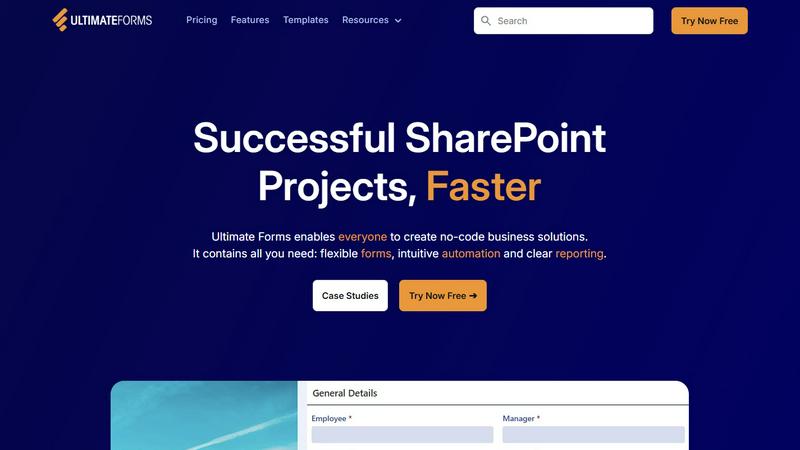
About Ultimate Forms
Ultimate Forms by Infowise is a groundbreaking no-code platform that enhances the capabilities of Microsoft SharePoint and Microsoft 365. It transforms SharePoint from a basic document storage solution into a dynamic engine for business process automation and data collection. Designed for various professionals—from business analysts to HR personnel and project managers—Ultimate Forms enables users to create sophisticated, responsive forms and automate intricate workflows without the need for coding. Its main value proposition is delivering enterprise-grade functionalities through an intuitive interface, significantly speeding up the development of SharePoint-based solutions. With data securely housed within the SharePoint ecosystem and seamless integration with tools such as Microsoft Teams, Exchange, and SQL Server, Ultimate Forms empowers organizations to optimize operations, elevate data quality, and boost productivity beyond what traditional development methods can achieve.
Features of Ultimate Forms
Flexible Forms
Ultimate Forms offers modern, responsive forms that include features such as tabs, section and column permissions, dynamic rules, and electronic signatures. These forms help maintain data integrity and ensure a positive user experience while securely storing all information within SharePoint.
Intuitive Automation
The platform simplifies complex workflows by allowing users to create versatile Actions for data creation and updates within SharePoint and other integrated applications. This reduces the learning curve, enabling more team members to design and manage their business solutions without depending on IT resources.
Clear Reporting
Ultimate Forms transforms collected data into actionable insights through detailed, shareable reports, dashboards, KPIs, and charts. This functionality enhances the organization's ability to visualize information, fostering improved responsiveness and accountability across teams.
Pre-built Solution Templates
Users can easily create, replicate, and distribute forms and automated solutions by leveraging a vast library of pre-built templates. This feature allows organizations to build once and deploy multiple times across various sites and tenants, significantly saving time and enhancing efficiency.
Use Cases of Ultimate Forms
Project Management
Ultimate Forms streamlines project management by enabling teams to manage and track customers, projects, tasks, and work hours efficiently. This ensures that all project-related data is organized and easily accessible, fostering better team collaboration.
HR Recruitment
The platform simplifies the recruitment process with a multi-stage portal designed for processing, evaluating, and hiring candidates. This helps HR professionals manage applications more effectively and ensures a smoother candidate experience.
Leave Request Management
Organizations can manage employee leave requests through a streamlined process that includes submission, review, and approval stages. This ensures clarity and efficiency in handling leave applications while maintaining compliance with company policies.
Asset Tracking
Ultimate Forms can be used for asset tracking, making it easy for organizations to monitor and manage their physical and digital assets. This functionality ensures that all assets are accounted for, reducing the risks associated with loss or mismanagement.
Frequently Asked Questions
What is Ultimate Forms used for?
Ultimate Forms is a no-code platform designed to enhance Microsoft SharePoint and Microsoft 365, allowing users to create sophisticated forms and automate workflows without the need for coding expertise.
Is Ultimate Forms suitable for small businesses?
Yes, Ultimate Forms is designed for organizations of all sizes. Its user-friendly interface and no-code capabilities make it accessible for small businesses looking to streamline their processes without investing heavily in technical resources.
How does Ultimate Forms integrate with other tools?
Ultimate Forms integrates seamlessly with a variety of applications, including Microsoft Teams, Exchange, and SQL Server, enabling users to automate workflows and manage data across multiple platforms effortlessly.
Can I try Ultimate Forms before purchasing?
Yes, Ultimate Forms offers a free trial, allowing users to explore its features and capabilities before committing to a purchase. This trial enables potential customers to see firsthand how the platform can benefit their organization.