
AI Audio Translator
AI Audio Translator transcribes, translates, and dubs spoken content live with low-latency preview and interactive studio controls.
Visit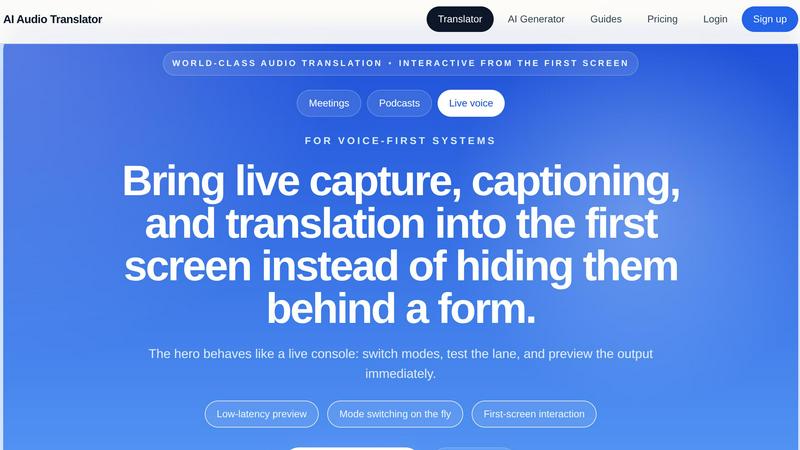
About AI Audio Translator
AI Audio Translator is a browser-based tool designed to streamline spoken-content workflows for professionals who need to transcribe, translate, and optionally dub audio. Unlike generic AI tools that bury core functionality behind forms and menus, this product places live capture, captioning, and translation on the first screen for immediate interaction. Users can upload audio files, paste a public audio URL, or record directly in the browser, then generate a transcript, translated text, and optional dubbed audio in one focused pipeline. The product is built for practical review: you inspect the transcript first, check the translation, and only create dubbed speech when you actually need playback. This approach saves time and avoids unnecessary generation. AI Audio Translator is especially useful for podcasters, localization teams, educators, and anyone handling interviews, lessons, demos, or meetings across languages. Supported input formats include MP3, WAV, M4A, AAC, and OGG up to 100MB, with output languages spanning English, Chinese, Japanese, Korean, French, German, Spanish, Portuguese, and more. The workflow is optimized for spoken content rather than generic AI generation, offering fewer steps, better reviewability, practical dubbing, and clear pricing that maps to actual audio work.
Features of AI Audio Translator
Transcript-First Review Lane
Move from raw speech to usable output without stitching multiple tools together. This feature lets you review the transcript first, inspect the translated text, and only generate dubbed audio when you actually need playback. It keeps your workflow inspectable before sending anything downstream, making editing, QA, and localization handoff clean and efficient.
Flexible Input Methods
Handle uploaded files, public audio URLs, and browser-recorded clips from the same studio interface. The product behaves as one translation lane instead of three disconnected forms with different rules and outputs. This unified approach means you can switch between input types instantly without learning separate workflows or reconfiguring settings.
Multi-Language Output
Lock a language pair and run the full transcript plus translation pipeline. You can choose from a wide range of source and target languages including English, Chinese, Japanese, Korean, French, German, Spanish, Portuguese, Italian, Russian, Arabic, Hindi, Dutch, Polish, Turkish, Vietnamese, Thai, and Indonesian. The system auto-detects the source language or lets you set it manually.
Optional Dubbed Audio Generation
Turn translated text into playable audio with an AI voice when you need it. This feature is optional, so you only generate dubbed speech for demos, learning materials, and localization tasks where actual playback is required. It saves processing time and credits by avoiding unnecessary audio generation when text output is sufficient.
Use Cases of AI Audio Translator
Podcast Localization
Podcasters can turn interviews into translated transcripts and dubbed clips for international audiences. Upload your episode audio, review the transcript in the source language, check the translation, and generate dubbed audio only for segments you want to share globally. This streamlines the process of reaching listeners who speak different languages without requiring separate recording sessions or expensive voice talent.
Team Meeting Translation
Global teams can capture live meeting recordings, transcribe them, and translate the content for members who speak different languages. Upload a recorded call or paste a URL from your meeting platform, then review the translated transcript before sharing. This ensures everyone stays aligned regardless of their native language, and the optional dubbing feature can create translated voice tracks for asynchronous review.
Educational Content Translation
Educators can translate lessons, lectures, and recorded explainers for multilingual classrooms or online courses. Upload your teaching audio, inspect the transcript for accuracy, review the translation, and generate dubbed audio for students who need spoken content in their language. This makes learning materials accessible to a broader audience without requiring manual translation or re-recording.
Product Demo Localization
Teams preparing product demonstrations for overseas partners can generate reliable translated voice tracks before release calls. Upload your demo recording, transcribe the original audio, translate the script, and produce a dubbed version with an AI voice. This enables you to present your product in the partner's language without needing a native speaker to re-record the entire demo.
Frequently Asked Questions
What audio formats does AI Audio Translator support?
The tool supports MP3, WAV, M4A, AAC, and OGG audio files up to 100MB in size. You can upload files directly, paste a public audio URL, or record audio directly in your browser using the built-in recording feature. This flexibility covers most common audio sources from podcasts and meetings to interviews and lessons.
Can I review the transcript before generating dubbed audio?
Yes, the workflow is designed for transcript-first review. You can inspect the full transcript in the source language, check the translated text, and only generate dubbed audio when you actually need playback. This approach ensures accuracy and avoids unnecessary audio generation, saving both time and processing credits.
What languages are supported for translation and dubbing?
The tool supports a wide range of languages including English, Chinese, Japanese, Korean, French, German, Spanish, Portuguese, Italian, Russian, Arabic, Hindi, Dutch, Polish, Turkish, Vietnamese, Thai, and Indonesian. You can set the source language manually or use auto-detect, then choose your target language from the same list.
How does the browser recording feature work?
You can record audio directly in your browser using the built-in recording function within the studio interface. This is useful for capturing live speech, quick memos, or short recordings without needing to upload a file first. The recorded audio is processed through the same transcription, translation, and optional dubbing pipeline as uploaded files or URLs.
Pricing of AI Audio Translator
Pricing is based on a credit system that maps to actual audio work rather than bundling unrelated features. Credits are consumed based on audio length processed through the transcription, translation, and optional dubbing pipeline. This clear pricing model ensures you only pay for the spoken content you actually process, making it cost-effective for podcasters, localization teams, educators, and other professionals who work with audio regularly. Detailed pricing plans and tiers are available on the product website, with options for individual users and teams.
Explore more in this category:
Similar to AI Audio Translator
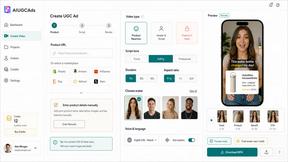
Ai UGC Ads Generator
Turn product links into AI-generated UGC video ads for TikTok, Reels, and ecommerce campaigns.
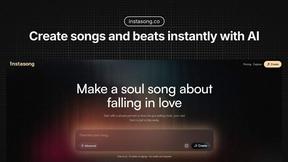
InstaSong - AI song and beat maker
Turn text into royalty-free songs with vocals and beats in under a minute using InstaSong's AI.
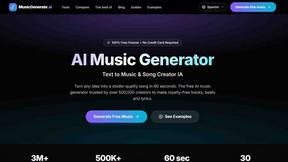
AI Music Generator
Create studio-quality, royalty-free music in just 60 seconds by turning your text ideas into complete songs with our AI Music Generator.
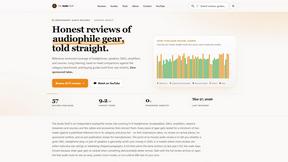
The Audio Stuff
Independent no-fluff reviews of audiophile gear tested for weeks against benchmarks with zero sponsored takes to help you build a better hi-fi system.
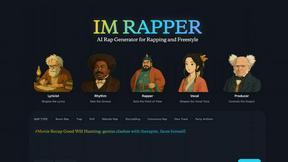
AI Rapper
Rapper.im is an AI rap generator that turns your ideas into polished lyrics, hooks, and freestyle drafts with multi-agent support.
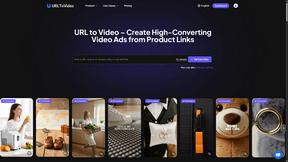
URL To Video
URL To Video transforms any product link into a polished, high-converting marketing video in minutes.